不想升級硬體、卸載常用軟體,透過群組原則調整三項設定可明顯改善回應速度。
優化步驟
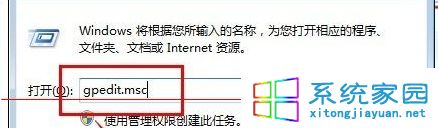
- Win+R →
gpedit.msc 開啟群組原則編輯器。
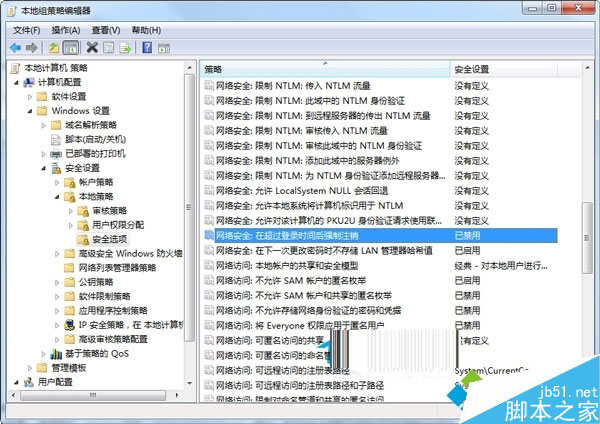
- 停用強制登出:
電腦設定 → Windows 設定 → 安全性設定 → 區域原則 → 安全性選項 →「網路安全性:超過登入時間後強制登出」→ 停用。
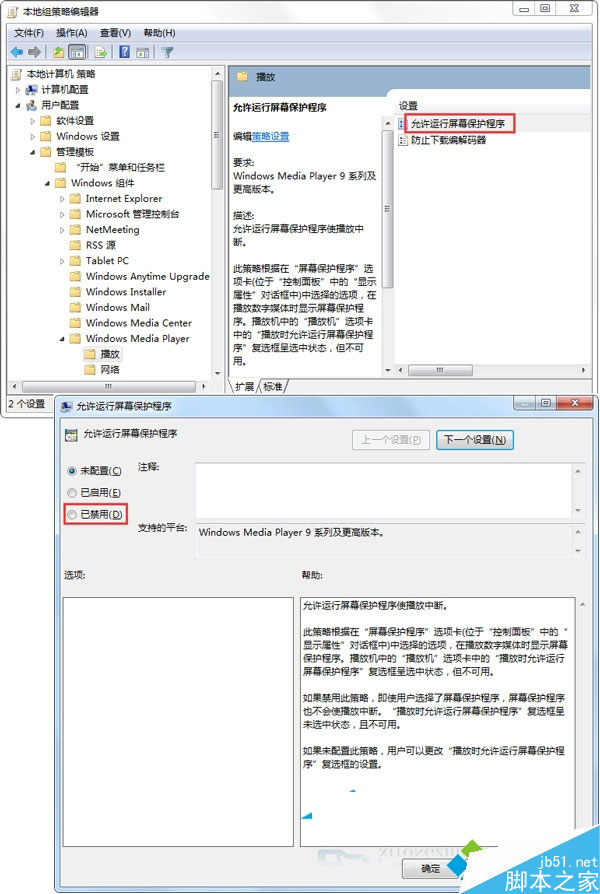
- 停用 WMP 螢幕保護程式:
使用者設定 → 系統管理範本 → Windows 元件 → Windows Media Player → 播放 →「允許執行螢幕保護程式」→ 已停用。
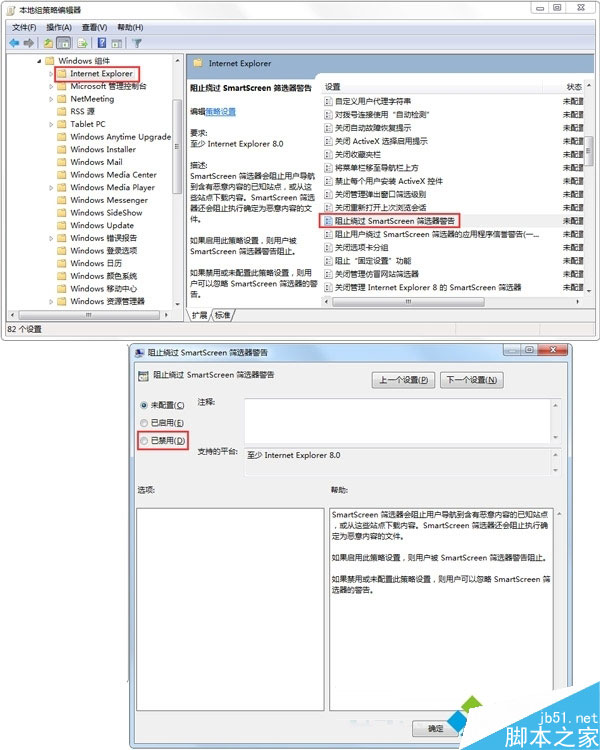
- 停用 SmartScreen 篩選器繞過警告:
系統管理範本 → Windows 元件 → Internet Explorer →「阻止繞過 SmartScreen 篩選器警告」→ 已停用。