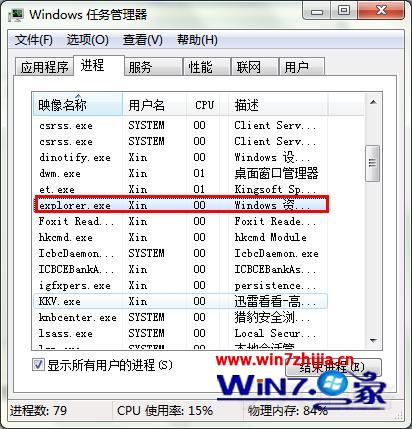
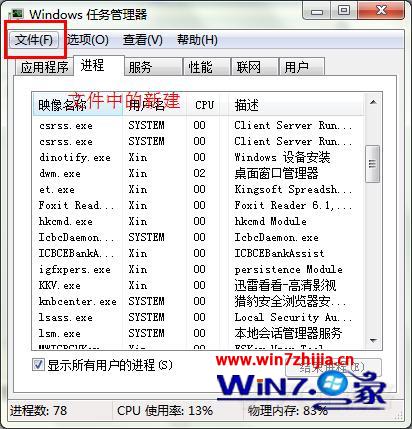
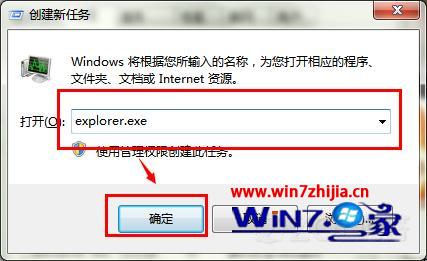
安裝軟體或變更系統設定時提示重啟,實際只需重啟 explorer.exe 即可生效,免去完整重開機等待。
explorer.exe
Windows 7 應移除的五大累贅功能:WGA、登錄表、ActiveX、UAC、會議中心
Win7 系統檔案穩定雙保險:sigverif 簽名驗證 + sfc /scannow 自動修復
解除 Win7 保留頻寬 20% 限制,釋放完整網速潛能
Win7 提示「目前配色方案已超出其允許的記憶體」?三階段解決方案
Windows 7「裝置和印表機」與 Device Stage 兩大功能詳解
Win7 旗艦版禁止複製資料夾?無法僅禁用複製,可拒絕讀取權限
Windows 7 新增印表機完整指南:本地 USB 與網路印表機
Win7 如何建立無法刪除的資料夾?命令提示字元建立特殊命名資料夾