Windows XP Windows 7 Windows 2003 Windows Vista Windows 綜合教學 Linux 系統教學
Windows 10 Windows 8 Windows 2008 Windows NT Windows Server 電腦軟體教學

Win7 安裝 VPN 後無法上網?重設 TCP/IP 與 DNS 快速恢復網路連線

編輯:Windows 7 系統介紹

安裝 VPN 軟體後突然無法上網?VPN 虛擬網卡可能竄改 TCP/IP 協定堆疊或 DNS 設定。執行 netsh int ip reset 重設 TCP/IP、ipconfig /flushdns 清除 DNS 快取,重開機後以管理員身分執行 VPN 連線即可恢復。

修復指令

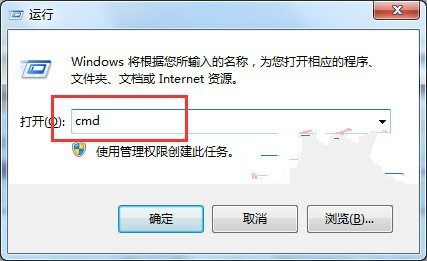
  1. Win+R → cmd → 管理員身分執行。
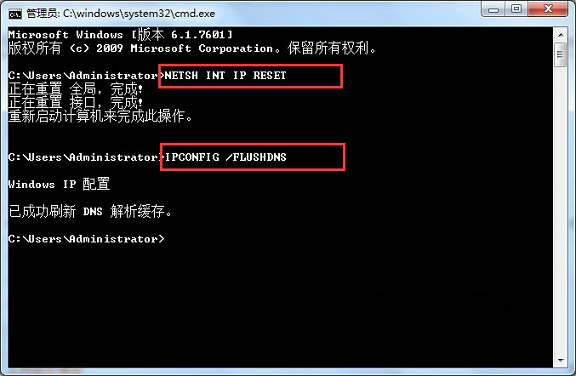
  2. 依序輸入:
    netsh int ip reset
    ipconfig /flushdns
  3. 重新開機。
  4. 右鍵 VPN 程式 → 「以管理員身分執行」→ 輸入帳密連線。

管理員 CMD 執行指令

指令執行完成

原理:netsh int ip reset 將 TCP/IP 協定堆疊相關登錄鍵值還原為安裝預設值,修復 VPN 驅動導致的協定綁定錯誤;ipconfig /flushdns 清除可能被 VPN 污染的 DNS 快取。

Copyright © Windows教程網 All Rights Reserved