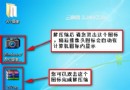
誤觸 DPI 縮放導致圖示放大,調回 100% 即可修正。
Windows 7 桌面畫面顛倒修復:螢幕解析度方向設定與熱鍵
Win7 USB 隨身碟使用三大禁忌:熱插拔≠隨意拔、頻繁寫入減壽命、長期插著易中毒
關閉 Win7 視窗邊緣自動最大化(Aero Snap)功能
Win7 旗艦版無法使用傳真與掃描功能的解決辦法:重新啟用 Windows 功能
Windows 7 使用 shutdown 指令排程定時關機:命令提示字元一行搞定
Windows 7 徹底移除 IE8:透過「開啟或關閉 Windows 功能」
Win7 隱藏桌面資源回收筒圖示完整教學
Win7 內建遊戲消失找回兩法:控制台開關 Windows 功能重置、命令列 ocsetup InboxGames 重新安裝