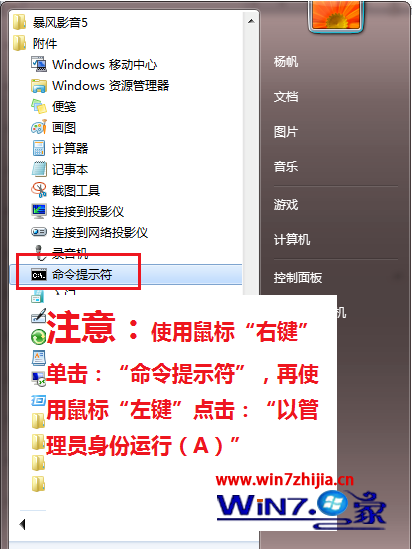
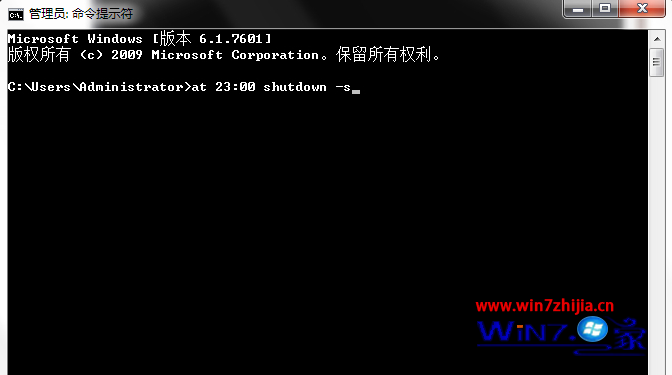
無需第三方軟體,Windows 7 內建 shutdown 指令配合 at 排程即可實現定時關機:
shutdown
at
at 23:00 shutdown -s
shutdown -s
shutdown -r
shutdown -h
shutdown -a
at 23:30 shutdown -s -t 60
排程工作會在背景執行,到時自動執行關機動作。
Win7 執行磁碟管理提示「RPC 伺服器無法使用」?啟動 Virtual Disk 服務即可修復
解決 Win7 音訊服務未執行:重新啟動 Windows Audio 服務
威剛 XPG SSD 釋出新韌體支援 Windows 7 TRIM 指令
Win7 拒絕連線無線路由器?更新韌體解決相容性問題
Win7 禁止 USB 隨身碟使用:登錄修改 USBSTOR Start 值為 4 實現禁用
微軟從 Win7 成功汲取的四大經驗:安全第一、向蘋果學設計、失敗可逆、企業用戶難討好
Windows 7 Aero 玻璃效果無法啟動?排查五大常見原因:版本限制、主題服務、顯卡驅動、桌面效能、色深設定
Windows 7 連線隱藏 SSID 無線網路:手動建立網路設定檔