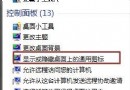
D: 顯示錯誤圖示 (如通用磁碟圖示或空白),實際資料正常。
系統重新掃描分區並載入正確圖示,問題即時解決。
Win7 旗艦版如何為 TXT 文字檔加密?利用複製命令將文字隱藏進圖片檔 (隱寫術)
Windows 7 桌面右下角提示 Intel 快速儲存技術未執行(重複 77869)
鮑爾默:今年 Win 7 裝置出貨量將達 3.5 億台,Windows 8 將挑戰 iPad 霸主地位
Windows 7 資源管理器掛載 SkyDrive 25GB 雲端硬碟:SkyDrive Explorer 讓雲端如本地磁碟
Win7 旗艦版 Windows Time 服務無法啟動?註冊 W32Time 並同步國家授時中心修復
Windows 7 開機啟動項不自動載入?三大典型案例與解決方案