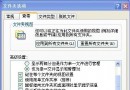
之後所有網頁字型大小將依系統設定顯示,不受網頁 CSS 控制,適合視力不佳或習慣固定字型者。
善用微軟 SkyDrive 雲端硬碟釋放 Windows 7 磁碟空間:25GB 免費空間自動同步
Win 7 加速全攻略:8 大調教讓老電腦也能順暢飛
Win7 主機沒插 USB 卻出現 USB 圖示?nForce 晶片組 SATA 被誤識為可移動裝置,註冊表 DisableRemovable 修正
Win 7 桌面假死 1 分鐘搞定:4 大情境對症下藥,拒絕重裝系統
Win7 跳出「COM Surrogate 停止運作」?啟用 DEP 例外排除 dllhost.exe 修復
自製一鍵清理開機啟動項批次檔:提升 Win7 開機速度
Opera 10.50 正式版發布:全球最快 Windows 瀏覽器,隱私瀏覽再升級
Windows 7 下 Tab 鍵 6 大實用技巧:切換焦點、重命名、視窗切換、標籤切換、命令列自動完成、輸入法輔助