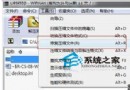
即可移除遊戲歷史記錄,保護隱私或應付檢查。
Win7 如何在 BIOS 中停用內建網卡 (Onboard LAN)
Win7 工作管理器缺少「使用者名稱」欄位?檢視選項勾選恢復顯示
避開 Win7 安裝隱藏分區陷阱,用 Diskpart 手動分區保護啟動檔案
Windows 7 手寫數學公式神技:Windows Journal 配合數學輸入面板,手寫即轉標準公式
Win7 32 位元 vs 64 位元完整比較:設計初衷、硬體需求、運算速度、記憶體上限、軟體生態
Windows 10 開啟 Windows Defender 掃毒:內建免費防護替代第三方殺毒
Windows 7 重新安裝完整圖文教學:從備份到進入桌面
解決 QQ 主面板自動隱藏與 Windows 7 視窗最大化衝突的三大妙招