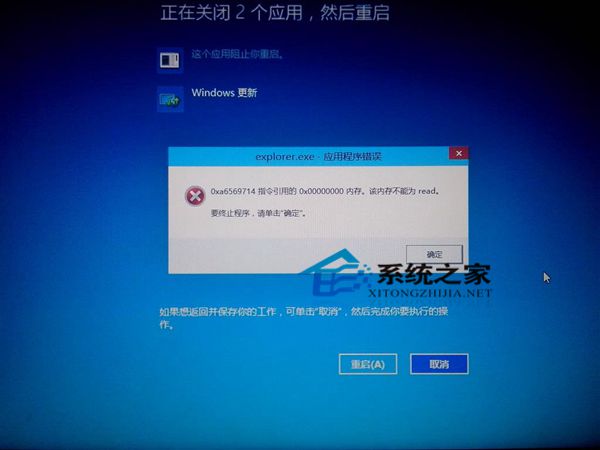
關機時出現 explorer.exe 錯誤(記憶體讀取失敗),導致應用商店無法進入:
explorer.exe
sfc /scannow
Win10 預覽版問題較多,非搶鮮體驗者建議等待正式版釋出再安裝。
Win10 以系統管理員身分開啟 PowerShell 三種方法
Win10 登錄編輯器搜尋功能失效?三招修復 regedit 找不到鍵值
Win 10 Mobile 正式版不會與 PC 版同步發布 秋季前無望見真身
Win10 系統如何安裝國際象棋遊戲?完整教學與避坑指南
Win10 小娜 (Cortana) 連不上網路?重置 Winsock 目錄 + 檢查 IPv4 設定修復
Win10 點關機卻自動重開機?關閉「快速啟動」徹底解決
Win 10 右鍵選單新增「複製路徑」兩法:Shift+右鍵臨時用、匯入登錄表永久加入
Win10 Edge 瀏覽器下載頁面出現亂碼?群組原則修改 User Agent 字串解決