Windows XP Windows 7 Windows 2003 Windows Vista Windows 綜合教學 Linux 系統教學
Windows 10 Windows 8 Windows 2008 Windows NT Windows Server 電腦軟體教學

製作 Windows 10 系統 U 盤安裝盤:微軟官方工具 Windows 7 USB/DVD Tool

編輯:Win10 系統應用技巧

使用微軟官方工具製作 Win10 U 盤安裝盤:

準備工作

  • 8GB 以上 U 盤(高速傳輸加快安裝)
  • Win10 預覽版 ISO(32/64位,體驗用 32 位較小)
  • Windows 7 USB/DVD Download Tool(微軟官方工具)

製作方法

  1. 安裝工具,雙擊開啟。
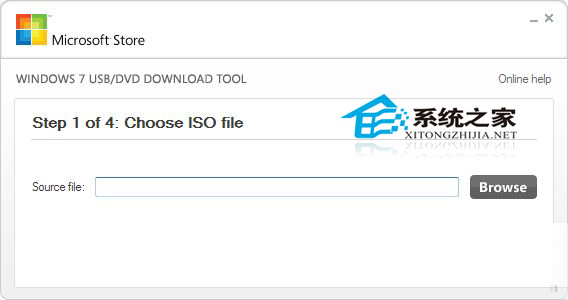
  2. 工具啟動介面

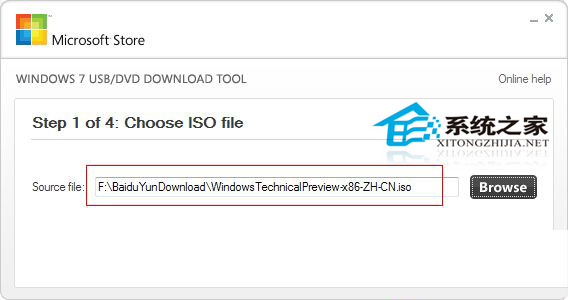
  3. 點「Browse」選取 Win10 ISO,點「Next」。
  4. 選取 ISO

  5. 選「USB device」。
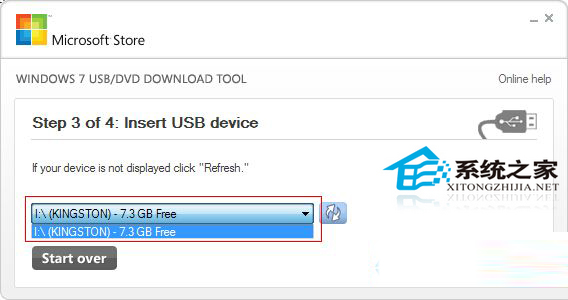
  6. 選擇 USB 裝置

  7. 選擇 U 盤,點「Begin Copying」製作,等待完成。
  8. 製作完成

製作完成插入目標電腦,BIOS 設定 U 盤為第一啟動項即可安裝。

Copyright © Windows教程網 All Rights Reserved