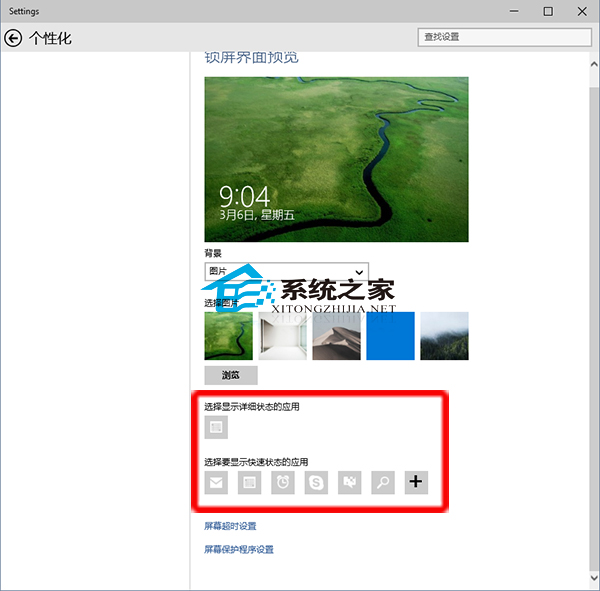
Windows 10 鎖定畫面支援顯示應用程式狀態,設定方式與 Win8.1 不同。如何查看與新增?
鎖定畫面除保護功能外,還可設定鎖定時自動播放投影片,極具個人化特色。
Win10 新增語言(英文/繁體中文等):控制台→語言→新增語言→選擇地區變體→加入
Windows 10 升級輸入金鑰無法啟動 0x8007007B / 0xC004E016?備份還原授權存放區修復法
Win10 開機緩慢解決方案:關閉快速啟動功能,驅動不相容導致啟動延遲
Win10 應用商店無法下載應用?四招解決:重新登入、重置快取、疑難排解、重置更新服務
Win10 隱藏導覽列 (側邊欄) 中的 USB 隨身碟圖示:修改登錄法
如何解決 Win10 開機藍畫面錯誤碼 0x000000D1?
Win10 快速查看圖片解析度與尺寸:兩種內建方法詳解
Win10 啟用 Compact OS 壓縮技術節省硬碟空間 (指令法/第三方工具)