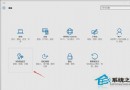
Windows 10 內建「安全性與維護」(Security and Maintenance)功能,啟用可保障系統安全穩定。如何使用?
Win10 更新失敗錯誤 80070002 怎麼解決?清除 SoftwareDistribution + 官方升級工具修復
Win10 關閉 SmartScreen 篩選器兩大法:控制面板與登錄表
如何關閉 Win10 Windows Hello 功能?
Win10 飛行模式關不掉?乾淨啟動排查第三方服務衝突
Win10 藍屏 DPC_WATCHDOG_VIOLATION (0x00000133)?更新 SATA AHCI 控制器驅動程式修復
Windows 10 更新安裝系統補丁完整操作指南
隱私爭議發酵:多家BT網站禁止Win10用戶訪問
Win10 升級主機板 BIOS 完整圖文教學:官網下載最新 BIOS + @BIOS 工具一鍵刷新