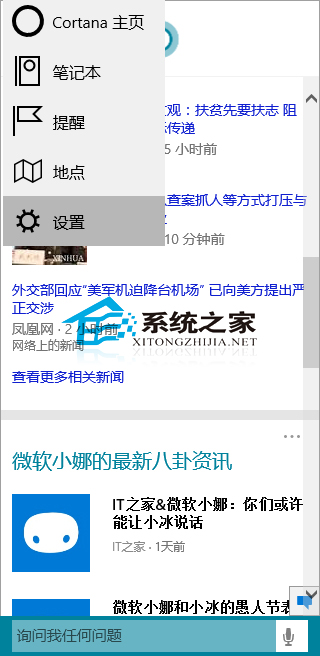
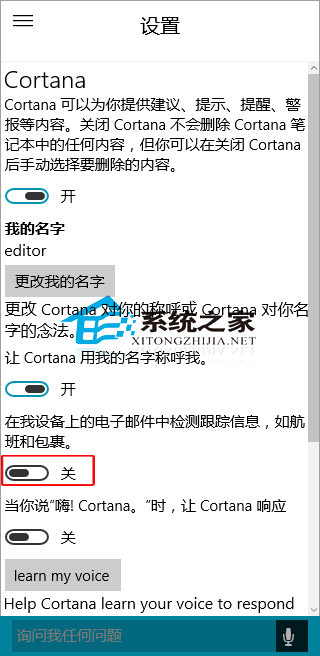
Cortana 功能多樣,含掃描郵件偵測航班等追蹤資訊。擔心隱私者如何關閉?
以上即為禁止 Cortana 檢測郵件資訊的方法,需關閉者依此操作。
Win10 開啟「電腦管理」三種方法:右鍵這台電腦、檔案總管、執行指令
Win 10 右鍵選單新增「複製路徑」兩法:Shift+右鍵臨時用、匯入登錄表永久加入
Windows 10 關閉自動維護功能教學:降低 CPU 與磁碟占用
Win10 找不到「安全移除硬件」圖標?任務欄設置一鍵喚出
Win10 開機黑畫面 30 秒?進入 WinRE 停用獨立顯卡驅動或啟用低解析度模式解決驅動衝突
Win10 繞過回收站永久刪除檔案:回收站屬性一鍵設定
Win10 磁碟 100% 佔用解決:關閉 HomeGroup 服務、停用自動維護任務、關閉碎片整理排程三大方案
Win10 裝 360 殺毒後電腦變卡?調整設定:關閉本地引擎改用雲引擎、降低監控等級、加入白名單