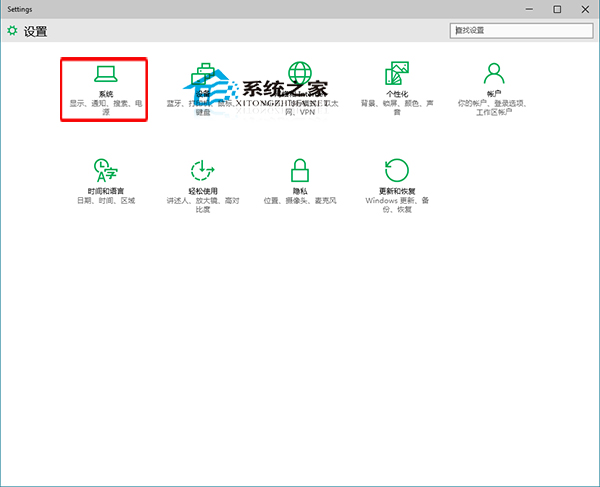
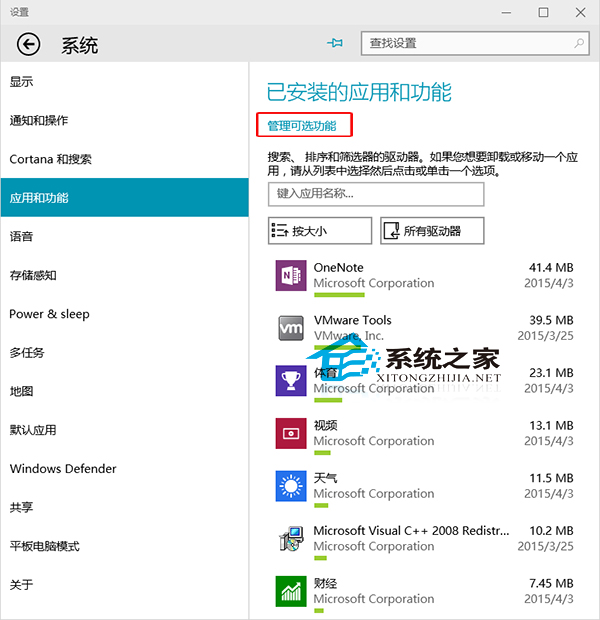
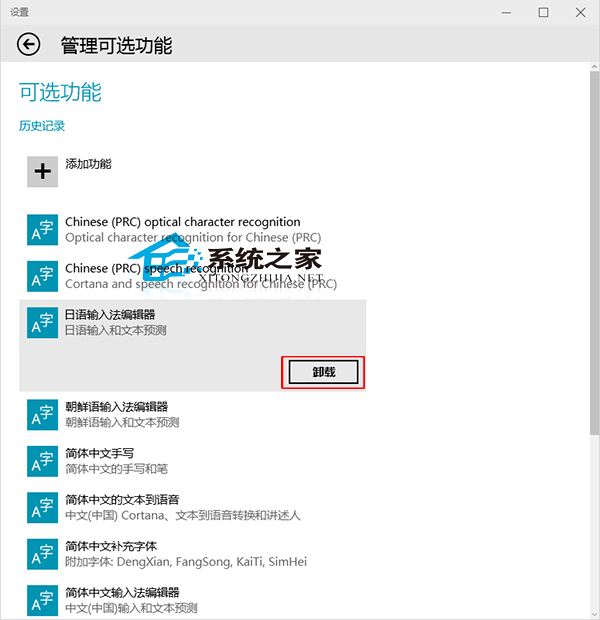
Windows 功能繁多,非人人皆需。Windows 10 提供全新「選用功能」管理介面,可移除不需功能。
如日文輸入法等多數國人不需功能,可刪除節省空間。解除安裝個人應用程式請參考其他教學。
Win10 預覽版 10123 上手體驗:Edge 瀏覽器新增隱私模式、密碼管理、觸控板進階設定與鎖屏電量顯示
Win10 無法播放音樂/影片(網頁緩衝不播、內建播放器失效)怎麼辦?乾淨開機隔離衝突
Win10 快速啟動異常修復:透過群組原則強制啟用
Windows 10 Charms 邊欄(超級按鈕)使用教學
Windows 10 移除內建微軟拼音輸入法改用美式鍵盤教學
Win10 安裝桌面小工具:GadgetsRevived 移植 Win7 經典 Gadgets 體驗
VMware 虛擬機器安裝 Windows 10 完整圖文教學
Windows 10 桌面建立寬頻撥號捷徑快速連線教學