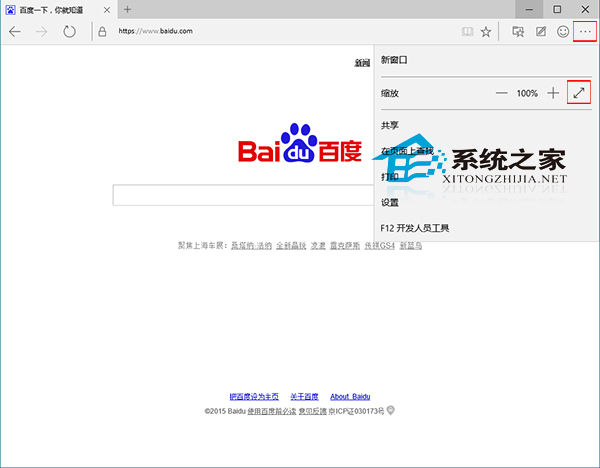
Edge (舊稱 Spartan) 支援全螢幕模式沉浸式瀏覽,隱藏標籤列/工具列/位址列。
全螢幕模式下將滑鼠移至螢幕頂部中央可暫時顯示標籤列/位址列。Edge 更多功能 (網頁批註、閱讀模式、Cortana 整合、分享) 請參考《Win10 Edge 瀏覽器功能詳解》。
Win10 照片應用程式錯誤「無效的登錄值」?重新註冊應用套件修復
Win10 IE 瀏覽器封鎖彈出視窗:網際網路選項 → 隱私權 → 開啟封鎖程式
Win10 使用內建 Reader 應用程式開啟 PDF 檔案教學
英文版 Win10 透過註冊表安裝中文升級包
Win10 設定開機啟動項:工作管理員「啟動」分頁一鍵停用,開機加速神技
Windows 10 無限重啟進不了系統?回滾至上一版本完整救援教學
Win10 IE11 啟用自動調整圖片大小:網際網路選項→進階→勾選「啟用自動影像大小調整」
Win10 如何自動清理暫存垃圾檔案?建立批次檔加入啟動資料夾或排程任務