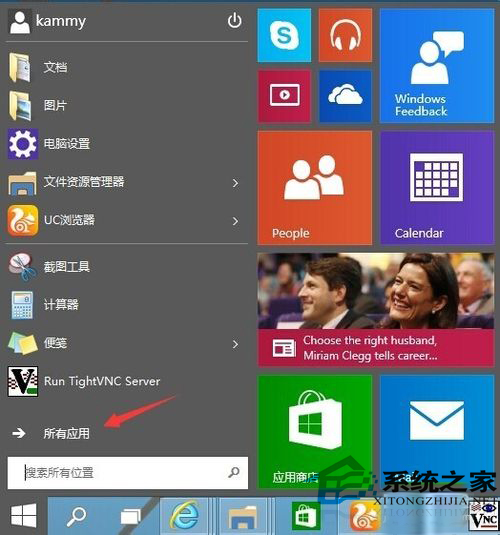
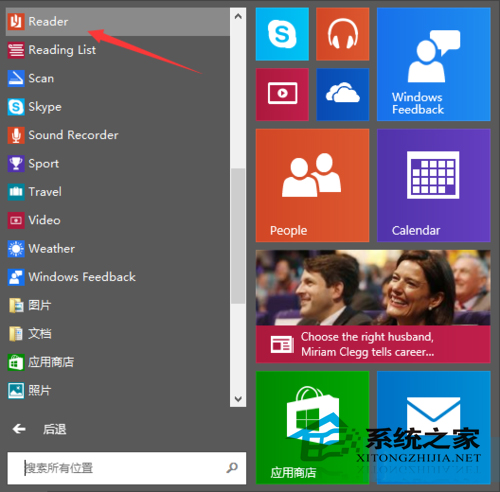
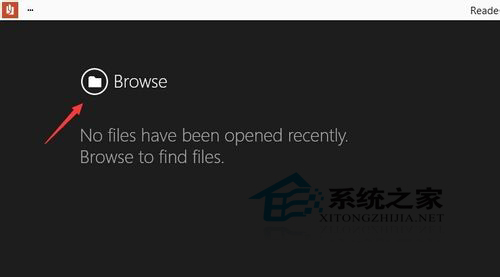
Windows 10 內建 Reader 應用程式(繼承自 Windows 8),支援直接開啟 PDF 檔案,無需安裝第三方閱讀器:
Reader 提供基本閱讀、縮放、搜尋、列印功能,滿足日常 PDF 檢視需求。若需編輯、註解等進階功能,仍建議使用 Adobe Acrobat 或專業 PDF 編輯器。
Win10 Redstone 2 預覽:OneDrive 佔位符功能回歸,雲端檔案不佔本地空間
Windows 10 內建放大鏡工具執行檔路徑位置
Win10 隱私遙測等級如何調整?群組原則設定 0-3 級資料上傳範圍
Win10 將 IE 圖示放到桌面兩大法:開始選單/搜尋啟動、登錄新增桌面圖示(含完整 REG 碼)
Win10 照片查看器背景顏色太刺眼?修改註冊表 BackgroundColor 自訂顏色(如黑色 ff000000)
Win10 安裝字型失敗?啟用 Windows Firewall 服務即可解決
Win10 新增 Emoji 表情符號總覽:首度內建「豎中指」與多膚色支援
Win10 啟用檔案歷程記錄備份:保護個人資料不遺失