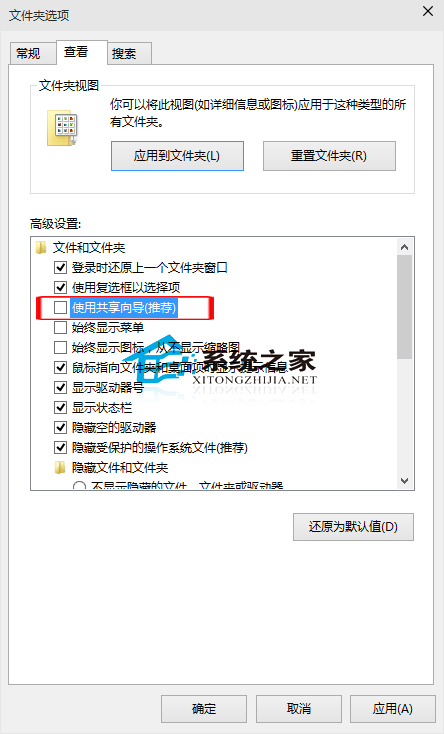
Windows 共用功能雖實用,但國內使用者多偏好其他傳檔方式,共用精靈顯得多餘。如何關閉?
若為純個人使用,關閉共用精靈合情合理。
Windows 10 取消「無法驗證發行者」安全性警告提示
Win10 更新下載失敗解決方案:更換 DNS 為微軟推薦 4.2.2.1/4.2.2.2 或使用軟媒魔方 DNS 助手一鍵切換
Win10 桌面圖示消失?三種情況分類解決
Win10 藍畫面 DPC_WATCHDOG_VIOLATION (0x133) 完整修復指南:SATA AHCI 驅動程式衝突解決
Windows 10 重設所有 Modern 應用:一鍵還原出廠狀態
Win10 QQ 群檔案下載失敗?降低 QQ 安全等級至最低即可解決
Win10 定時關機三大法:指令、圖形介面、第三方工具
Win 10 一鍵鎖定螢幕:VBS 腳本呼叫 LockWorkStation 實現秒鎖