Windows XP Windows 7 Windows 2003 Windows Vista Windows 綜合教學 Linux 系統教學
Windows 10 Windows 8 Windows 2008 Windows NT Windows Server 電腦軟體教學

Windows 10 專業版/家用版啟用 Windows To Go 功能(需外部工具)

編輯:Win10 系統應用技巧

Windows To Go(攜帶式工作區)僅內建於 Enterprise 企業版。專業版/家用版可透過第三方提取工具移植相關檔案與登錄項以啟用功能。

啟用步驟(風險自負,建議備份系統)

  1. 下載 Windows 10 Windows To Go 功能提取包 並解壓縮。
  2. 64 位元系統:
    • 將 x64\System32 內容複製至 C:\Windows\System32
    • 將 x64\SysWOW64 內容複製至 C:\Windows\SysWOW64
    • 雙擊執行 pwcreator_x64.reg 匯入登錄項
  3. 32 位元系統:
    • 將 x32\System32 內容複製至 C:\Windows\System32
    • 雙擊執行 pwcreator_x32.reg 匯入登錄項
  4. 重新啟動電腦。

Windows To Go 提取包

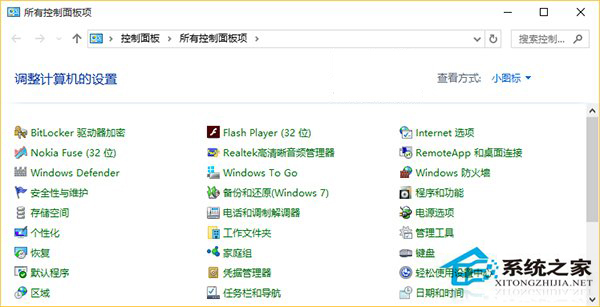
控制台出現 Windows To Go

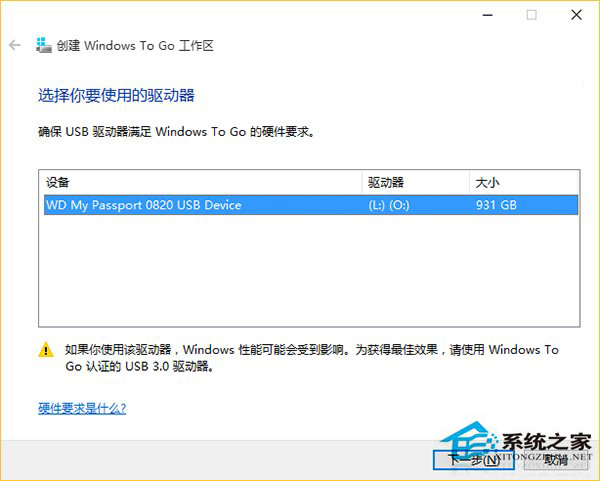
Windows To Go 建立精靈

重開機後開啟控制台(小圖示檢視)即可看到 Windows To Go 選項,可建立可開機的 Windows 隨身碟。此為非官方移植,系統更新可能覆蓋相關檔案導致功能失效,重要資料請勿儲存於 WTG 裝置。

Copyright © Windows教程網 All Rights Reserved