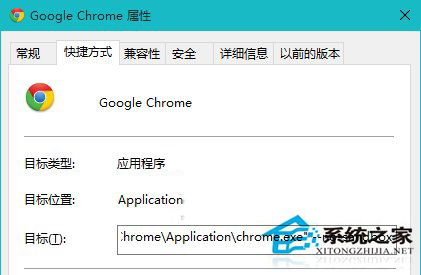
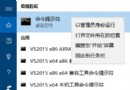
Windows 10 Insider Preview 10525 版本中,Chrome 64 位元版啟動即崩潰,疑為 Chrome 沙箱機制與新版記憶體管理衝突。暫時規避方法:
解除安裝 64 位元版,下載安裝 32 位元版 Chrome,通常可正常運行。
--no-sandbox
警告: --no-sandbox 會停用 Chrome 核心安全機制,暴露系統於惡意網頁攻擊風險。僅作為臨時測試用途,請勿日常使用。請等待 Chrome 官方釋出相容版本或 Windows 10 修正更新。
Win10 快速開啟計算機兩大絕招:Win+R 指令與右鍵選單整合
巧用 PE 破解 Win10 開機密碼:U 盤啟動清除登入密碼教學
解決 Win10 安裝 Office 後無法更新 KB3022827:暫時移除 Office 再裝回
Win7/Win8.1 升級 Win10 正式版常見問題完整解答
Win10 手機 10080 黑屏問題解決:關閉動態磚背景圖片即可恢復開始畫面
修改 Win10 新建資料夾/檔案預設命名規則(註冊表法)
Win10 修改時間與時區技巧:控制台日期時間設定、自動同步網路時間
Win10 11103 英文版如何安裝中文語言包?複製 11102 語系資料夾 + 註冊表匯入 MUI 設定