Win10 控制台移除 Windows Update 選項,匯入註冊表可在「系統與安全性」下恢復入口。
add_wu_controlpanel.reg:Windows Registry Editor Version 5.00
[HKEY_CLASSES_ROOT\CLSID\{36eef7db-88ad-4e81-ad49-0e313f0c35f8}]
"System.Software.TasksFileUrl"="Internal"
"System.ApplicationName"="Microsoft.WindowsUpdate"
"System.ControlPanel.Category"="5"
@="@%SystemRoot%\\system32\\shell32.dll,-22068"
"InfoTip"="@%SystemRoot%\\system32\\shell32.dll,-22580"
[HKEY_CLASSES_ROOT\CLSID\{36eef7db-88ad-4e81-ad49-0e313f0c35f8}\DefaultIcon]
@="shell32.dll,-47"
[HKEY_CLASSES_ROOT\CLSID\{36eef7db-88ad-4e81-ad49-0e313f0c35f8}\Shell\Open\Command]
@=hex(2):63,00,6f,00,6e,00,74,00,72,00,6f,00,6c,00,2e,00,65,00,78,00,20,00,2f,00,6e,00,61,00,6d,00,65,00,20,00,4d,00,69,00,63,00,72,00,6f,00,73,00,6f,00,66,00,74,00,2e,00,57,00,69,00,6e,00,64,00,6f,00,77,00,73,00,55,00,70,00,64,00,61,00,74,00,65,00,00,00
[HKEY_LOCAL_MACHINE\SOFTWARE\Microsoft\Windows\CurrentVersion\Explorer\ControlPanel\NameSpace\{36eef7db-88ad-4e81-ad49-0e313f0c35f8}]
@="Windows Update"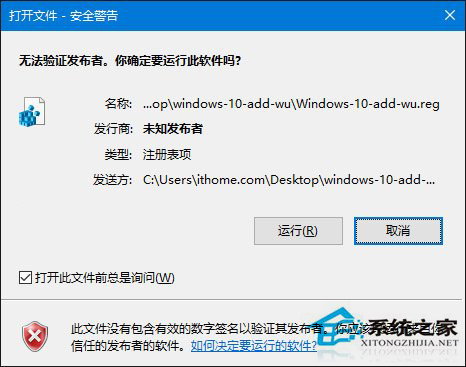
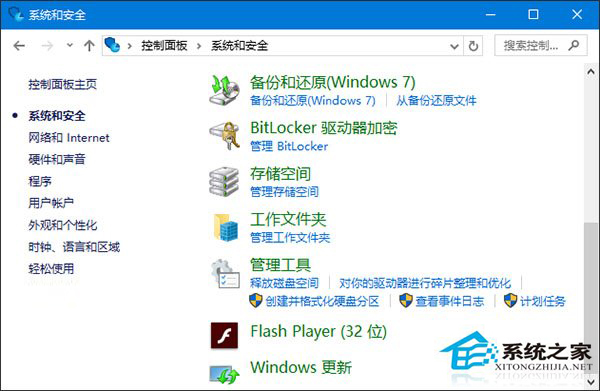
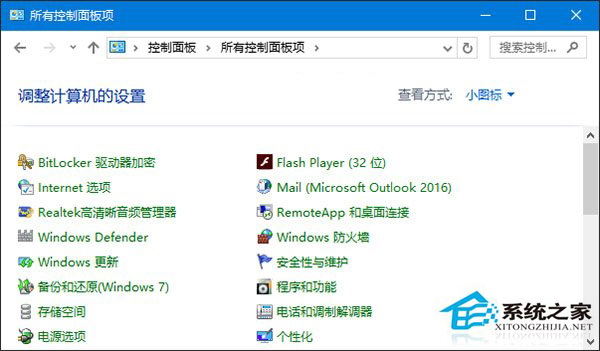
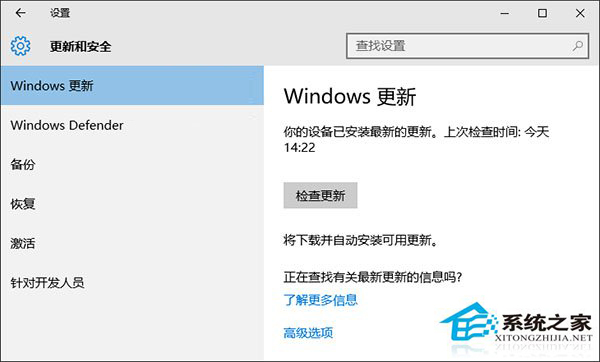
雖入口在控制台,實際開啟仍為設定介面,但滿足老用戶操作習慣。