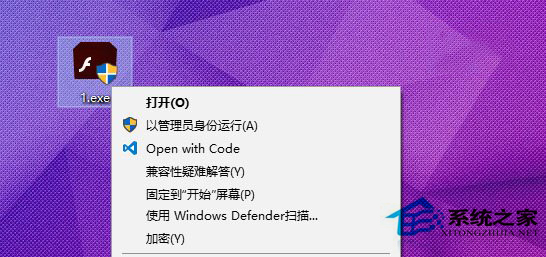
EFS 加密檔案/資料夾原需:右鍵 → 內容 → 進階 → 勾選加密。新增右鍵直達選單可一鍵加密/解密。
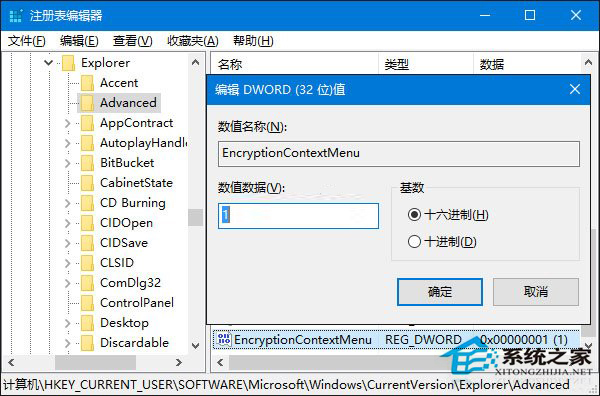
regedit
HKEY_CURRENT_USER\Software\Microsoft\Windows\CurrentVersion\Explorer\Advanced
EncryptionContextMenu
快速存取 EFS 加密功能,提升效率。
Win10 桌面圖示消失?三種情況分類解決
Windows 10 正式版沒有聲音?兩大排除步驟快速修復
Win10 QQ 群檔案下載失敗?降低 QQ 安全等級至最低即可解決
Win10 禁止 QQ 開機自動啟動?三種方法:360 優化、工作管理員、QQ 設定內關閉
Win10 內建鬧鐘功能完整教學:設定鬧鈴、重複、鈴聲全攻略
Win10 10125 語言包安裝與亂碼修復:lpksetup 命令一鍵部署中文介面
Win10 以相容模式執行舊程式(右鍵內容→相容性標籤)
Win10 通知區域找不到音量圖示?啟用系統圖示「音量」