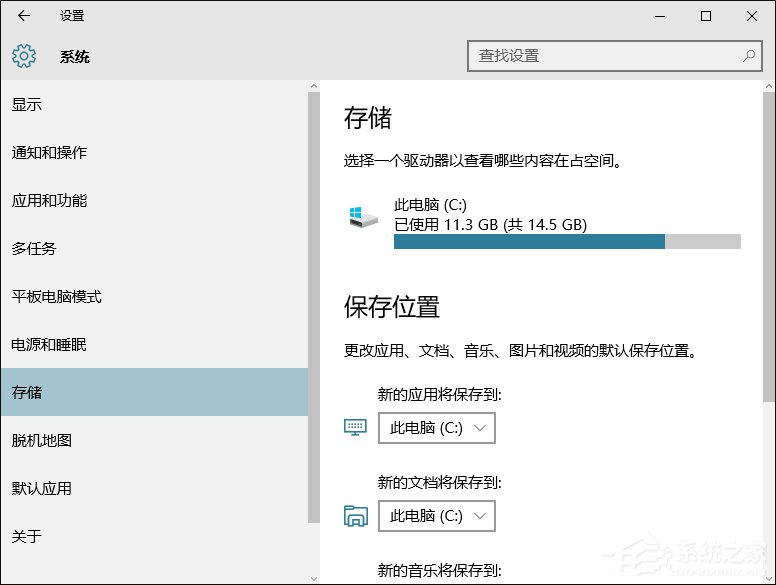
C 盤空間吃緊時,將新應用程式預設安裝至其他磁碟可緩解壓力。Win 10 設定介面提供圖形化修改,若選項變灰無法操作,可改用登錄表強制指定;另分享快速取得檔案完整路徑的兩招技巧。
regedit。HKEY_LOCAL_MACHINE\SOFTWARE\Microsoft\Windows\CurrentVersionCommonFilesDir 與 CommonFilesDir (x86),將數值資料改為自訂路徑(如 D:\Program Files)。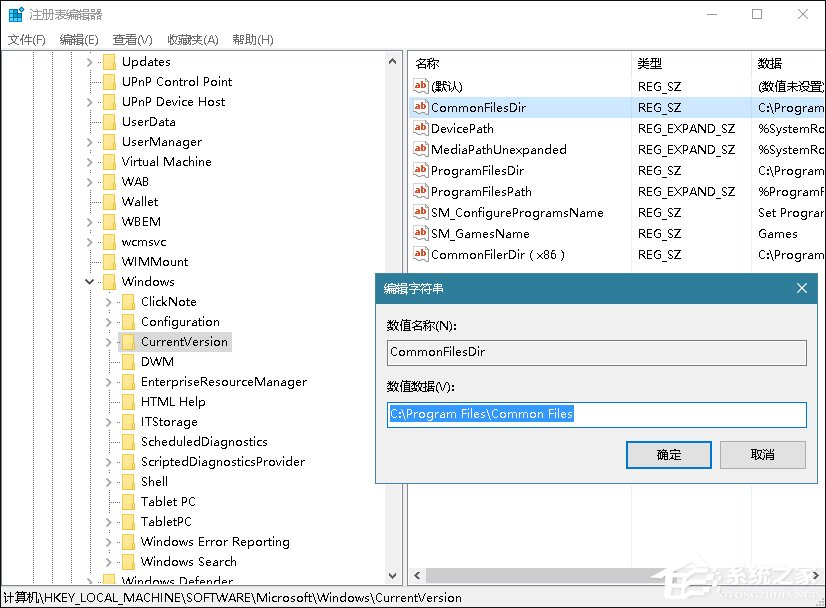
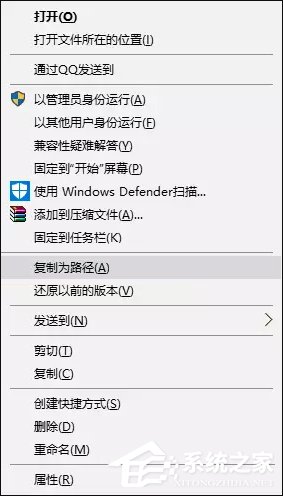
.reg 檔: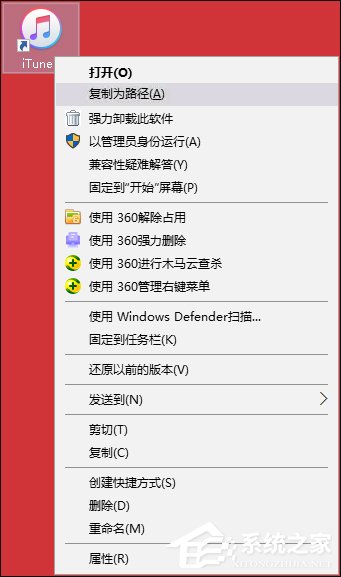
Windows Registry Editor Version 5.00
[HKEY_CLASSES_ROOT\Allfilesystemobjects\shell\windows.copyaspath]
"CanonicalName"="{707C7BC6-685A-4A4D-A275-3966A5A3EFAA}"
"CommandStateHandler"="{3B1599F9-E00A-4BBF-AD3E-B3F99FA87779}"
"CommandStateSync"=""
"Description"="@shell32.dll,-30336"
"Icon"="imageres.dll,-5302"
"InvokeCommandOnSelection"=dword:00000001
"MUIVerb"="@shell32.dll,-30329"
"VerbHandler"="{f3d06e7c-1e45-4a26-847e-f9fcdee59be0}"
"VerbName"="copyaspath"
優先用設定介面,失效改登錄表;善用「複製路徑」技巧加速故障排除與腳本撰寫。