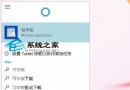
Windows 10 個人化設定 (顏色/背景) 最小化到工作列後無法還原/彈出 (假死),需以 PowerShell 重新註冊系統應用修復。
PowerShell。$manifest = (Get-AppxPackage Microsoft.WindowsStore).InstallLocation + '\AppxManifest.xml'
Add-AppxPackage -DisableDevelopmentMode -Register $manifestGet-AppxPackage -AllUsers | Where-Object {$_.InstallLocation -like "*SystemApps*"} | ForEach {Add-AppxPackage -DisableDevelopmentMode -Register ($_.InstallLocation + '\AppxManifest.xml')}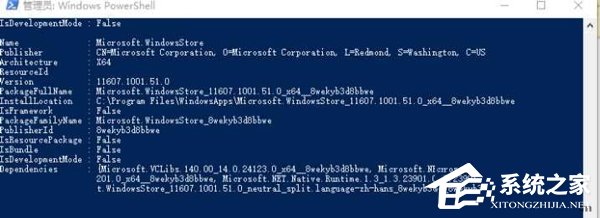
此為系統 UWP 應用註冊異常導致設定介面掛住,重新註冊即可修復。
Windows 10 KB3081424 更新安裝失敗解決方案三選一
微軟解釋Win10 10525彩色標題欄不生效於Edge/Groove:應用自主控制權
Win10 迅捷路由器提示「網路密碼必須是 40 位或 104 位」?檢查 WEP 金鑰長度或改用 WPA2-PSK 加密
Win10 實現拖曳檔案自動建立資料夾:Smart Folders For Windows 工具
微軟 Lumia 950 XL 低光拍攝影片曝光:2000 萬畫素、三色溫閃光、第五代光學防震
Win10 Edge 瀏覽器 Web 筆記功能:網頁批註、剪裁、分享一站式完成
Win10 9901 OneDrive 功能介紹:備份設定、應用、密碼至雲端跨平台同步
Win10 移除 OneNote App:PowerShell 指令 Get-AppxPackage *OneNote* | Remove-AppxPackage 一鍵解除安裝