使用 Media Creation Tool 升級 Windows 10 時遇到錯誤代碼 0x80070002,導致工具無法啟動?這是常見的授權驗證問題。本文提供兩種有效解決方案,助您順利完成升級。
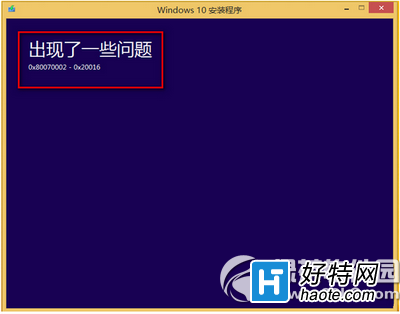
錯誤 0x80070002 通常表示 Microsoft Media Creation Tool 無法正確驗證您的 Windows 授權。簡單說,系統未通過微軟正版驗證。建議先確認您使用的是正版 Windows 7 或 Windows 8.1,否則升級將持續受阻。
若您的系統為盜版或授權異常,最徹底的解決方式是重新安裝正版 Windows 7 或 Windows 8.1,取得合法授權後再嘗試升級。
若系統授權正常但升級工具彈出「出現了一些問題」視窗,可嘗試以下步驟:
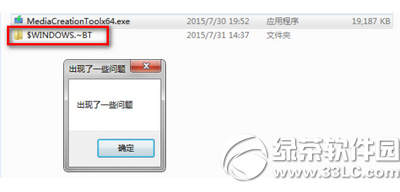
$WINDOWS.BT 資料夾並刪除。此法可清除殘留的升級暫存檔,解決工具無法啟動的問題。
Media Creation Tool 與 Media Creation Tool x64 功能相同,僅針對 32 位元與 64 位元系統版本不同,請根據您的系統架構選擇對應版本。
蘋果Boot Camp 6更新:全面支援Mac雙系統安裝Win10
Windows 10 開啟傳統「通知區域圖示」設定介面的隱藏指令
Win10 如何開啟視窗動畫慢動作效果?註冊表啟用 AnimationsShiftKey 開發者功能
Windows 10 重設所有資料夾檢視為預設值:登錄檔刪除 Shell 資料袋完整教學
Win10 開啟快速啟動加速開機:控制台電源選項勾選「啟用快速啟動」
Win10 磁碟使用率 100% 怎麼辦?六大優化方向:家庭群組、虛擬記憶體、IPv6、Defender、Search、換 SSD