強制重啟觸發 WinRE 自動修復失敗 → 進入無限重啟循環。破解步驟:
bcdedit 記錄 resumeobject 後的 GUIDbcdedit /set {GUID} recoveryenabled No 禁用自動啟動修復chkdsk /r c: 修復文件系統錯誤sfc /scannow 修復系統文件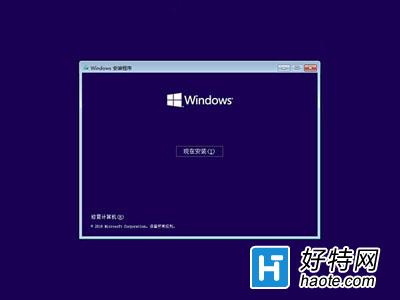
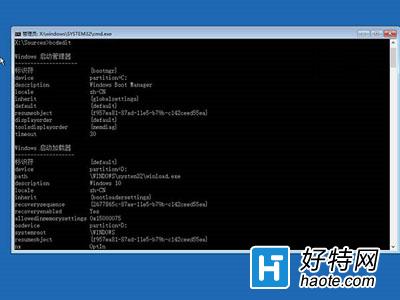
核心邏輯:繞過失效的自動修復,直接離線修復文件系統與系統文件。適用 Win8/8.1/10。建議平時建立系統還原點或備份關鍵數據。
Windows 10 無法開啟 Edge 瀏覽器?啟用使用者帳戶控制 (UAC) 即可解決
Windows 10 將「主頁」改為「這台電腦」快速存取技巧
Win10 找回 Charms 列:熱鍵 Win+C 或第三方工具 PopCharms
Win10 卸載內建應用程式:PowerShell 一鍵移除當前/所有使用者/系統預裝 App,含應用商店同步刪除風險提醒
Win10 音訊服務未執行?服務管理員重新啟動 Windows Audio 與相關服務
Win10 查看激活剩餘天數命令:slmgr.vbs -xpr 秒出到期日期
Win10 Build 10586 更新詳解:UI 改進、Edge 優化、Messaging/Skype 新應用、已知問題與解法