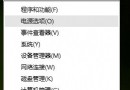
開啟軟體總彈出「Windows 安全性警告」干擾操作,停用「Security Center」服務可徹底關閉此提示(同 ID 92856 內容,此處補充說明)。
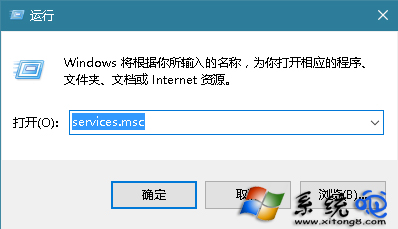
services.msc
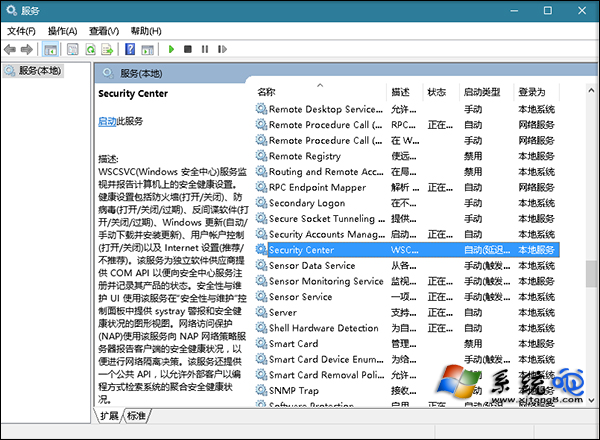
服務管理員
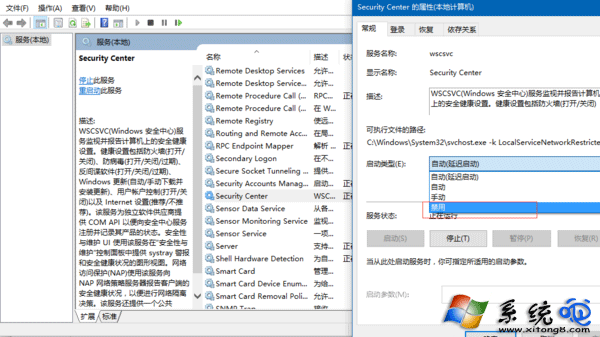
Security Center 屬性
設為停用
注意:停用後將不再接收 Windows Defender 防毒、防火牆等安全通知,建議僅在確信環境安全時使用,或改用單一檔案「解除封鎖」方式(檔案內容 → 勾選解除封鎖)。
Win10 啟用快速啟動加快開機速度:控制面板電源選項完整設定圖解
Win10 設定「工作資料夾」讓檔案跨裝置同步,離線也能存取
Windows 10 開機密碼三種模式:字元密碼、圖片密碼、PIN 碼設定教學
Win10 提示「已停用 IME」無法輸入中文?電腦管理啟用 MsCtrMonitor 任務恢復輸入法
Win10 右鍵「個人化」打不開?一鍵修復管理員權限問題
Win10 TXT 文本文檔無法打開?文件關聯修復三步走
Win10 適配器未連線導致無法上網?網路連線右鍵 → 診斷自動修復
Win 10 解鎖 Eva 語音合成引擎(英文女性聲音)註冊表法