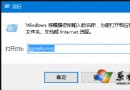
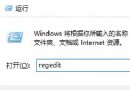
Windows 10 雙擊 .txt 文本文檔無反應、彈出「選擇應用」對話框、或用錯誤程序打開 (如 Word、瀏覽器)。此為文件關聯損壞:.txt 關聯的「記事本」路徑丟失/錯誤。通過「打開方式」重新指定正確的 notepad.exe 即可徹底修復。
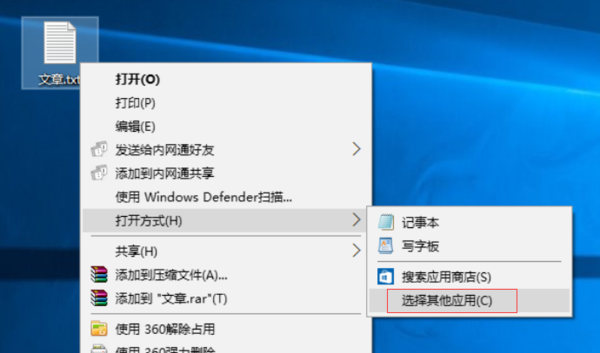
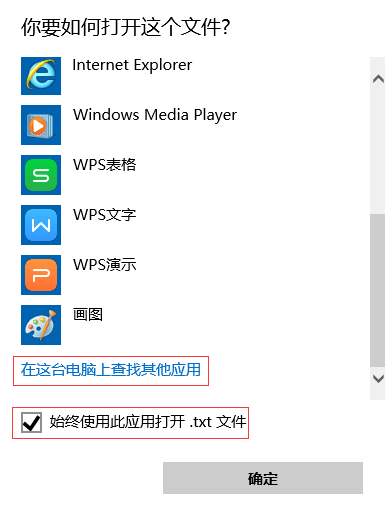
C:\Windows\SysWOW64\notepad.exe (32 位記事本,兼容性最佳)C:\Windows\System32\notepad.exe選中 notepad.exe → 「打開」→ 完成。
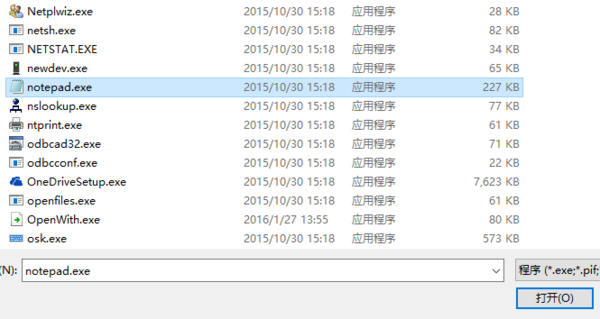
System32\notepad.exe (64 位) 和 SysWOW64\notepad.exe (32 位)。SysWOW64\notepad.exe 可避免「打開方式」列表顯示異常、編碼檢測錯誤等問題。HKEY_CURRENT_USER\Software\Microsoft\Windows\CurrentVersion\Explorer\FileExts\.txt\UserChoice,永久生效。保存為 Fix-TXT-Association.reg,雙擊導入:
Windows Registry Editor Version 5.00

[HKEY_CURRENT_USER\Software\Microsoft\Windows\CurrentVersion\Explorer\FileExts\.txt\UserChoice]
"ProgId"="txtfile"
"Hash"="..."  ; 系統自動計算,導入後自動修正

[HKEY_CLASSES_ROOT\txtfile\shell\open\command]
@="\"%SystemRoot%\\SysWOW64\\notepad.exe\" %1"
; 64位系統用 SysWOW64,32位系統改為 System32
HKEY_CLASSES_ROOT\.txt 默認值是否為 txtfile。sfc /scannow 修復系統文件 (含 notepad.exe)。