Intel 核心顯示晶片驅動程式安裝後,桌面右鍵選單會新增「圖形選項」與「圖形屬性」兩項。若電腦另加獨立顯示卡,核顯設定幾無用處,且右鍵選單顯得雜亂。刪除對應登錄檔鍵值即可移除。
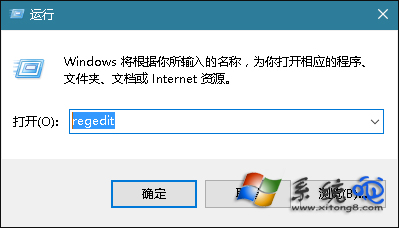
regedit 開啟登錄編輯器。HKEY_CLASSES_ROOT\Directory\Background\shellex\ContextMenuHandlersigfxDTCM 鍵值。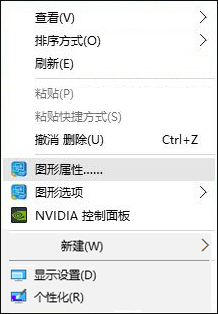
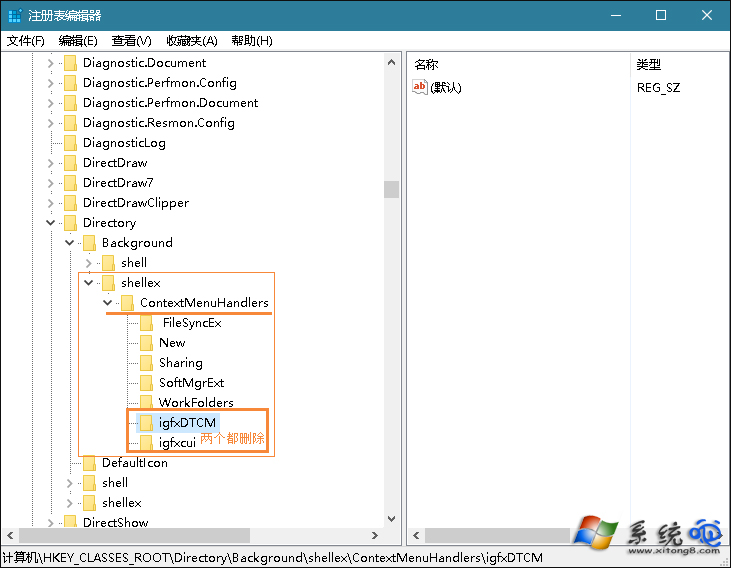
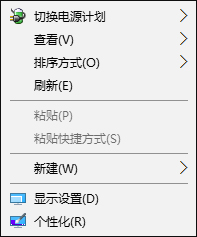
此法適用於 Windows 7/8/10。若日後需恢復,可從備份匯入登錄檔,或重新安裝 Intel 顯示驅動程式。
盜版升級 Win10 每小時黑屏一次?五大解決方案:買正版、裝企業版評估版、30天重裝、破解激活、或賭微軟良心
Win10 修改 Microsoft 帳號 PIN 碼:設定→帳號→登入選項三步完成
Win10 十大隱藏實用功能:非作用中視窗滾動、多螢幕獨立縮放、儲存感知...
Windows 10 內建虛擬光碟機使用教學:掛載/卸載 ISO 檔,無需第三方軟體
Windows 10 郵件與行事曆同步錯誤 0x80c8043e:同 ID 23335 方案重複
Win10 更新錯誤 0x8024402f 解決:重設更新服務與元件註冊
Windows 7/8.1 正版序號免費升級 Windows 10 仍有效?微軟未封鎖漏洞,實測可激活
Win10 取得最高系統管理員權限:註冊表 FilterAdministratorToken=1 解決開始選單無法使用等問題