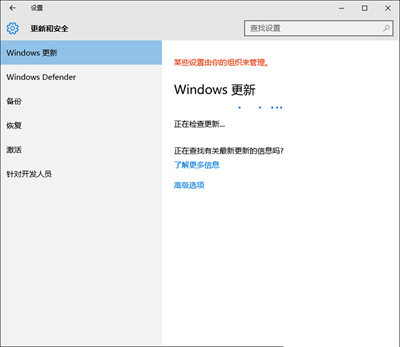
更新失敗顯示 0x8024402f,通常為用戶端與 Microsoft 伺服器連線問題。微軟社群提供完整重設指令碼:
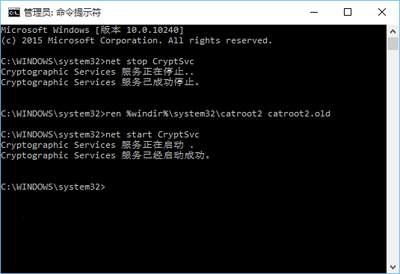
net stop CryptSvc
ren %windir%\system32\catroot2 catroot2.old
net start CryptSvc
net stop wuauserv
regsvr32 wuapi.dll /s
regsvr32 wups.dll /s
regsvr32 wuaueng.dll /s
regsvr32 wucltui.dll /s
regsvr32 wuweb.dll /s
regsvr32 msxml.dll /s
regsvr32 msxml2.dll /s
regsvr32 msxml3.dll /s
regsvr32 urlmon.dll /s
net start wuauserv
regsvr32 softpub.dll /s
regsvr32 initpki.dll /s
regsvr32 mssip32.dll /s
regsvr32 wintrust.dll /s
regsvr32 dssenh.dll /s
regsvr32 rsaenh.dll /s
regsvr32 gpkcsp.dll /s
regsvr32 sccbase.dll /s
regsvr32 slbcsp.dll /s
regsvr32 cryptdlg.dll /s
regsvr32 jscript.dll /s
此腳本重設加密服務、更新服務並重新註冊核心 DLL,解決多數 0x8024402f 錯誤。
Win10 華碩 ROG Strix GL502 遊戲筆電詳細評測:輕薄機身、GTX 970M/980M、雙風扇散熱、1080P/3K 螢幕
Windows 10 輸入法「已停用 IME」進階修復:啟用任務排程器 MsCtrMonitor
Win10 線上取得更多主題:個人化→主題→「線上取得更多主題」→微軟官方主題庫下載安裝
Windows 10 正式版升級後筆電螢幕亮度無法調整修復:登錄表 FeatureTestControl 數值修正
Win10 滑鼠右鍵反應慢/無反應?註冊表清理 ContextMenuHandlers 解決