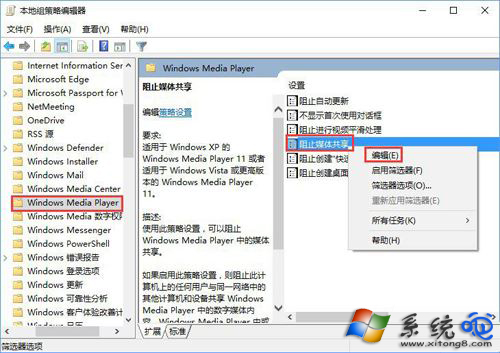
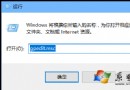
企業或隱私需求下,可能需要禁止電腦上的 Windows Media Player 向區網其他裝置串流媒體。透過 gpedit.msc 群組原則即可一鍵封鎖。
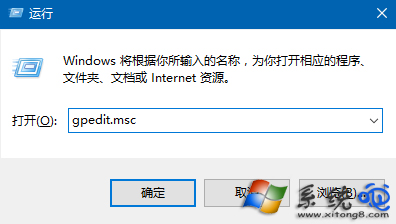
gpedit.msc
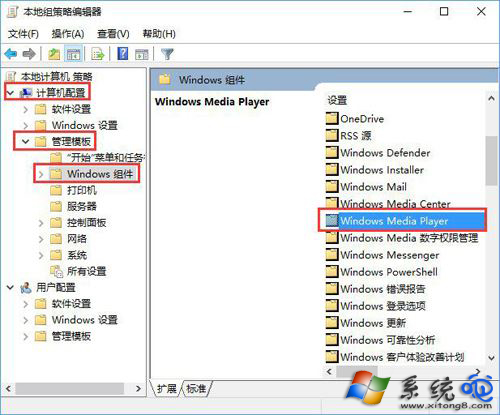
電腦設定 → 管理範本 → Windows 元件 → Windows Media Player
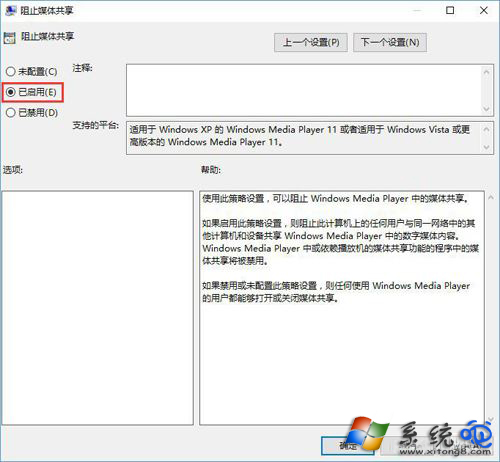
說明:啟用後,本機任何使用者皆無法透過 WMP 共享音樂/影片/圖片到網路裝置;若需暫時開放,將原則改回「未設定」或「已停用」即可。
Win10 Build 10049 已知 Bug 匯總:藍屏卡住、Outlook 搜尋失效、VS2015 不相容
提升效率 Windows 10 快速鍵彙總:官方 The Verge 整理版、虛擬桌面、視窗管理、游戲錄製、Cortana 一覽表
Win10 開機需重開兩次才能進入系統?三大排查方案解決
Windows 10 移除任務列「搜尋」與「工作檢視」按鈕註冊表教學
立即預約免費升級 Windows 10:任務列右下角 Windows 圖示 → 「預約免費升級」→ 輸入信箱確認,入隊等待推送
Win10 微軟帳號登入失敗陷入死循環?安全模式調整權限破解
Win10 透過登錄檔鎖定 IE 首頁防止被修改
Win10 系統如何屏蔽訊息通知?群組原則設定每日免打擾時段教學