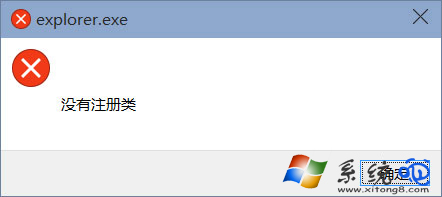
使用 Edge 時隨機彈出視窗:「explorer.exe - 系統錯誤:沒有註冊類別」。這是 User Manager 服務 停用導致 Shell 體驗主機無法正確載入應用程式模型。啟用該服務並設為自動,註銷重登即可修復。
修復步驟(圖文)
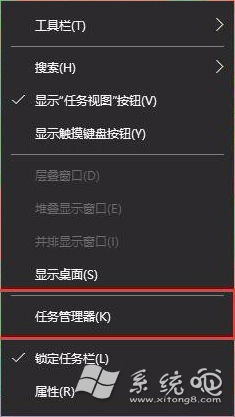
- 工作列右鍵 → 工作管理員 → 服務 標籤 → 右下角 「開啟服務」。
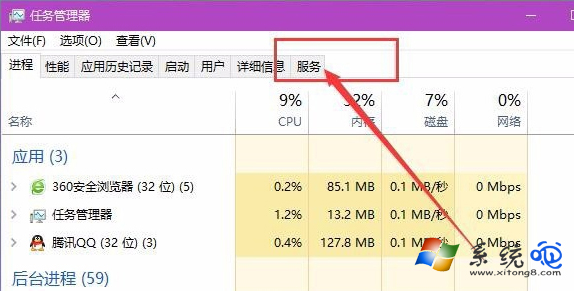
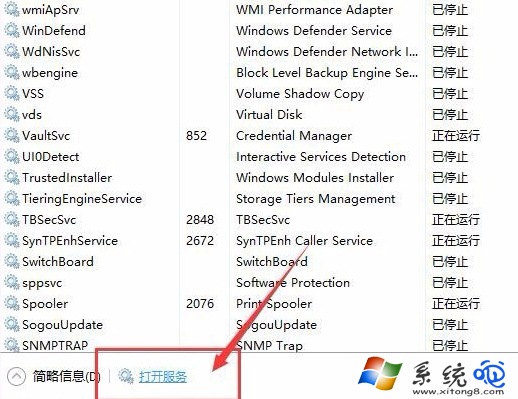
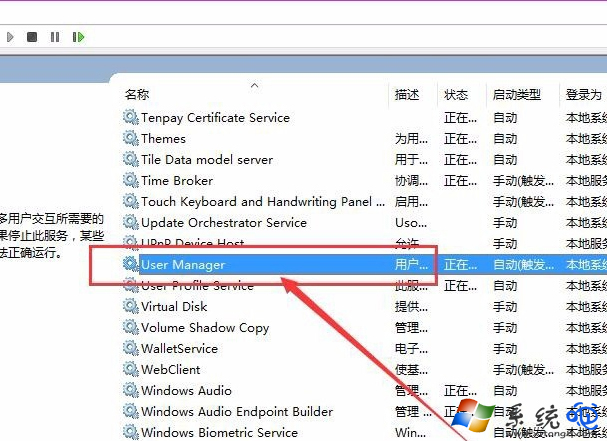
- 服務清單中找 User Manager → 雙擊 → 啟動類型:自動 → 啟動 → 確定。
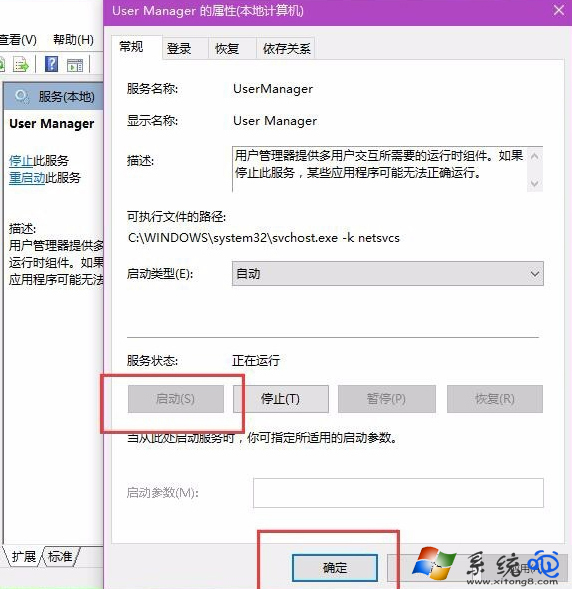
- 註銷 目前帳號 → 重新登入,Edge 不再彈出錯誤視窗。
原因補充
- User Manager 負責管理使用者工作階段與應用程式模型註冊,若被優化軟體誤停用,UWP 應用(Edge、照片、商店)啟動時會觸發 Shell 錯誤。
- 同理,若遇到「開始選單無反應」、「設定閃退」,也可檢查此服務。
啟動 User Manager 服務,一勞永逸解決 Edge「explorer.exe 沒有註冊類別」彈窗困擾!