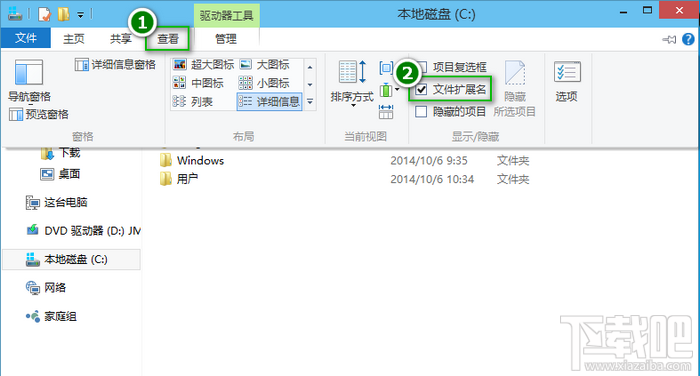
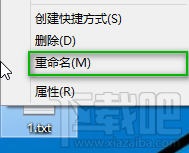
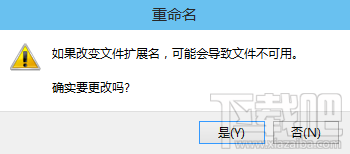
步驟
txt
jpg
注意:僅改副檔名不轉換檔案格式,需用對應軟體另存新檔才能真正轉檔。
Win10 開始選單顯示個人照片:使用「照片磚塊」應用設定
盜版升級 Windows 10 竟能「洗白」?實測三大升級管道激活狀態全紀錄
升級Win10後無法切換賬戶、應用打不開?內建管理員帳號惹的禍
Windows 10 修改產品金鑰 (Product Key) 完整指令教學
Windows 10 螢幕亮度調節完整教程:四步輕鬆保護視力
Win10 疑難排解自動更新顯卡驅動怎麼關閉?群組原則阻擋特定裝置驅動安裝
Windows 10 滑鼠無法拖曳檔案?四大可能原因與對應解法
Win10 關閉 Windows 安全性警示彈窗:防火牆通知設定「取消勾選阻止應用程式時通知我」