Win 7 / Win 8 / Win 10 操作方式相同。
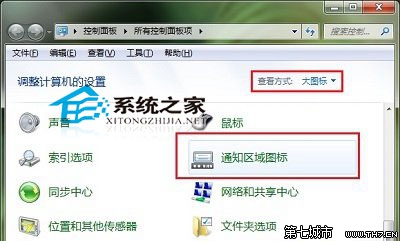
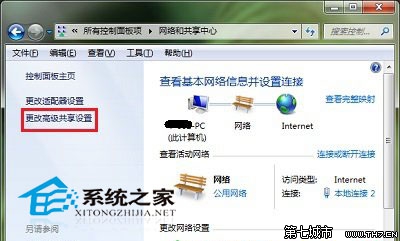
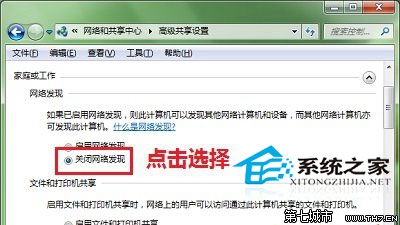
關閉後,電腦不會在區域網路中被其他裝置發現,也無法瀏覽其他裝置的共用資源,提升公共網路環境下的安全性。
升級 Win10 提示「相容性檢測補丁未安裝」?安裝 KB2952664 並等待 7 天生效
Win10 如何安裝 VirtualBox 虛擬機?官網下載至自訂路徑完整圖文教學
Windows 10 運行 VB6.0 IDE 拖曳控制項遲滯:相容模式設為 Windows XP SP3 解決
Windows 10 登入 Microsoft 帳號錯誤 0xd00000bb 解決方案
Win10 藍畫面 0x00000133 錯誤?切換至 Microsoft Storahci.sys 驅動程式暫時規避
Windows 10 觸控版 Office 無法開啟解決方案:清除 Windows Store 授權快取