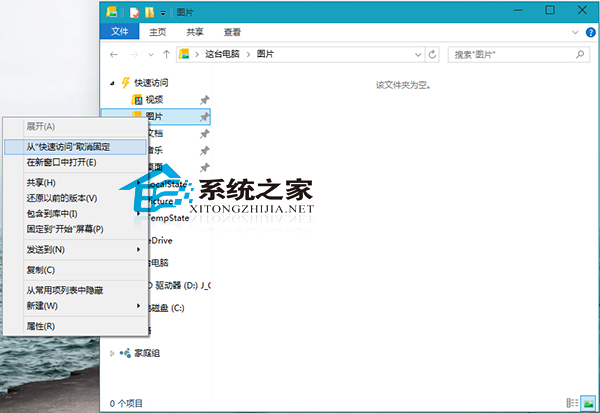
Win10 檔案總管「快速存取」中固定的資料夾想取消固定,操作極簡單:
同理,想固定資料夾只需右鍵選擇「固定到快速存取」即可。
Win10 快速切換到桌面兩大法:任務列右側細條 / Win+D
Windows 10 更改檔案副檔名:啟用顯示延伸模組後重新命名
Win10 徹底移除已解除安裝 Modern 應用程式殘留圖示三大法
Win10 重建搜尋索引加快檔案搜尋速度教學
Win 10 系統 Bug 多?一鍵「重設這台電腦」徹底解決開機黑屏、商店閃退、開始選單卡頓等頑疾
Win10 快速啟動設定教學 (重複內容優化版):電源選項開啟/關閉、完全關機技巧
Win10 圖示顯示異常/空白?刪除 IconCache.db 重建圖示快取徹底修復
Win10 磁碟清理按鈕不見了?啟用回收站功能即可恢復