Windows XP Windows 7 Windows 2003 Windows Vista Windows 綜合教學 Linux 系統教學
Windows 10 Windows 8 Windows 2008 Windows NT Windows Server 電腦軟體教學

Win7 錯誤 0x000006d18 解決:重設 Windows Update 元件

編輯:Windows 10 系統介紹

Windows 7 安裝 .NET Framework 或更新時出現錯誤代碼 0x000006d18,通常因 Windows Update 服務快取資料損壞。透過命令提示字元重設相關服務與快取資料夾即可修復。

修復步驟

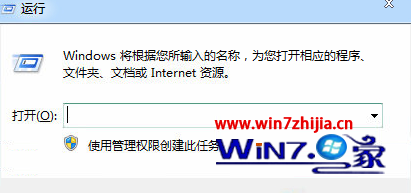
  1. 按 Win + R 輸入 cmd,右鍵選擇 [以系統管理員身分執行]。
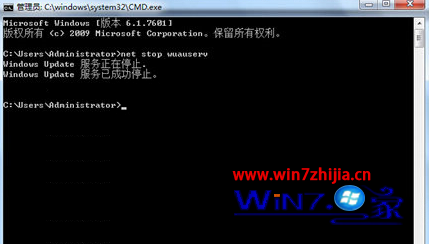
  2. 依序輸入指令:
net stop wuauserv
echo %windir%
  1. 在彈出的 Windows 目錄中找到 SoftwareDistribution 資料夾,重新命名為 SDold。
  2. 回到命令提示字元輸入:
net start wuauserv
  1. 重新嘗試安裝 .NET Framework 或執行 Windows Update,問題應解決。

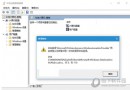
錯誤代碼 0x000006d18

以管理員身分執行 CMD

停止 wuauserv 服務

此法同樣適用於 Win7/8/8.1 其他 Windows Update 相關錯誤 (如 0x80070002、0x80070003 等)。

Copyright © Windows教程網 All Rights Reserved