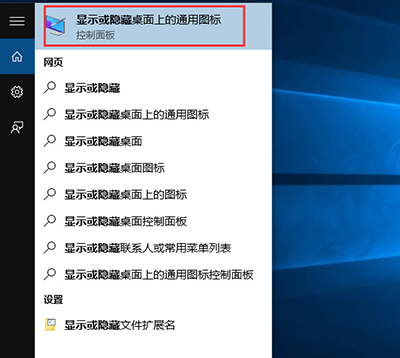
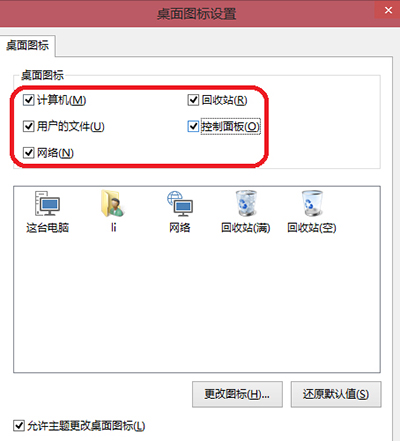
Win10 未啟用時「個人化 → 主題 → 桌面圖示設定」不可用,但可透過搜尋直接開啟設定視窗:
未啟用也能輕鬆管理桌面圖示,Win10 未完全封死此功能。
Win10 執行遊戲跳出 0xc0000022 錯誤?啟用 DirectPlay 元件修復
Win10 禁止安裝應用程式:群組原則 → Windows Installer → 禁止使用者安裝 → 已啟用
Windows 10 正式版啟用機制:數位授權綁定裝置、自動偵測 Win7/8.1 正版、免輸入金鑰
Win10 如何修改或刪除網絡名稱:註冊表操作完整教學
Windows 10 Build 14901 更新內容詳解:文件總管新通知與已知問題
Win10 任務列圖示太小?取消「使用小任務列按鈕」一鍵放大
Windows 10 開啟應用程式商店提示 Explore.EXE 找不到元素的解決方法
華碩筆電升級 Win10 後藍屏?官方建議:從官網更新所有驅動程式