Windows XP Windows 7 Windows 2003 Windows Vista Windows 綜合教學 Linux 系統教學
Windows 10 Windows 8 Windows 2008 Windows NT Windows Server 電腦軟體教學

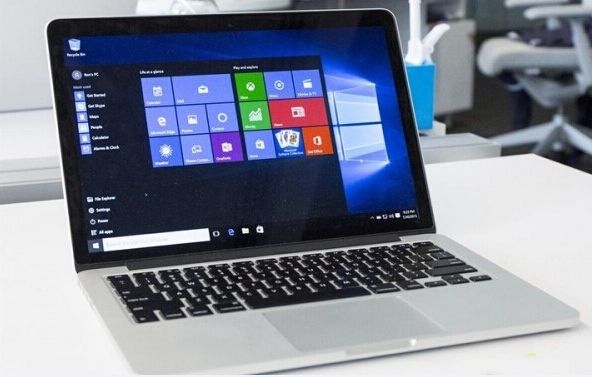
Mac 安裝 Windows 10 多分區教學(2015 年後機型僅支援 GPT/UEFI)

編輯:Windows 10 系統介紹

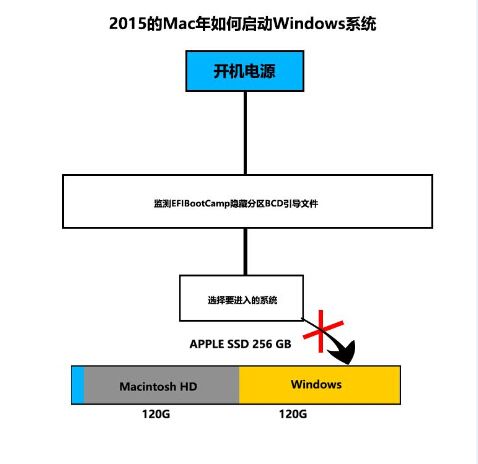
2015 年後 Mac 機型不再支援 MBR 混合啟動,純粹採用 GPT 分區表 + UEFI 啟動,導致傳統 Boot Camp 多分區安裝 Windows 失敗。鋒友「戈德士」分享 2015 年機型 Win 10 多分區安裝完整流程:
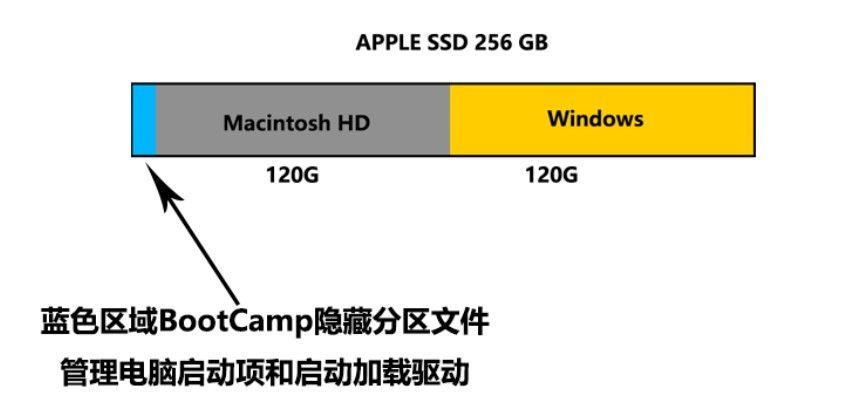
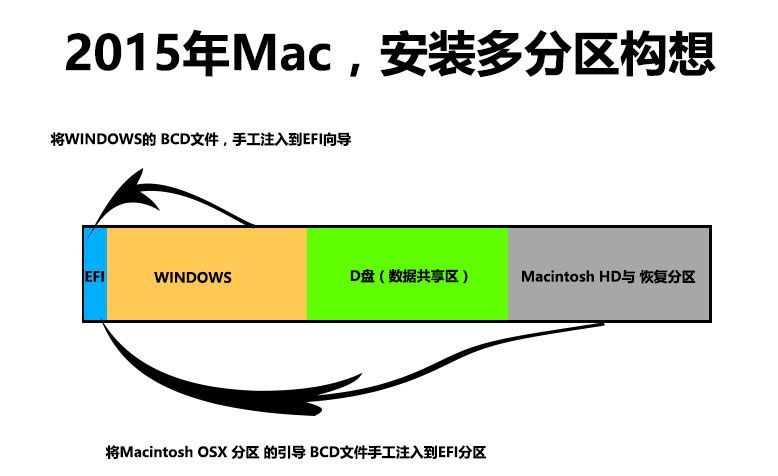
分區規劃

  • C 槽、D 槽:NTFS 格式(Windows 系統與資料)。
  • macOS 分區:APFS 或 Mac OS Extended (Journaled)。
  • 磁碟分區表:GUID (GPT) 格式,支援系統更新與快速啟動。

核心原理:EFI 分區與 Boot Camp

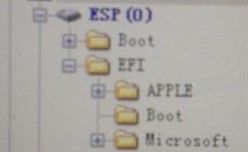
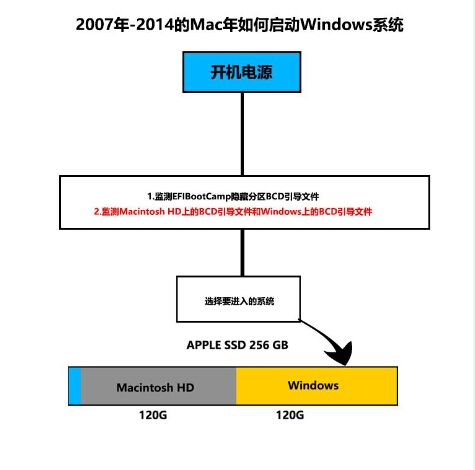
EFI 分區內含 APPLE (macOS/recovery) 與 Microsoft (Windows 啟動載入器) 兩資料夾。2015 年後 Mac 僅讀取 EFI 分區的 BCD 啟動檔,**不再掃描全磁碟 MBR**,因此必須在安裝 Windows 時將 Microsoft 啟動檔寫入 EFI 分區。
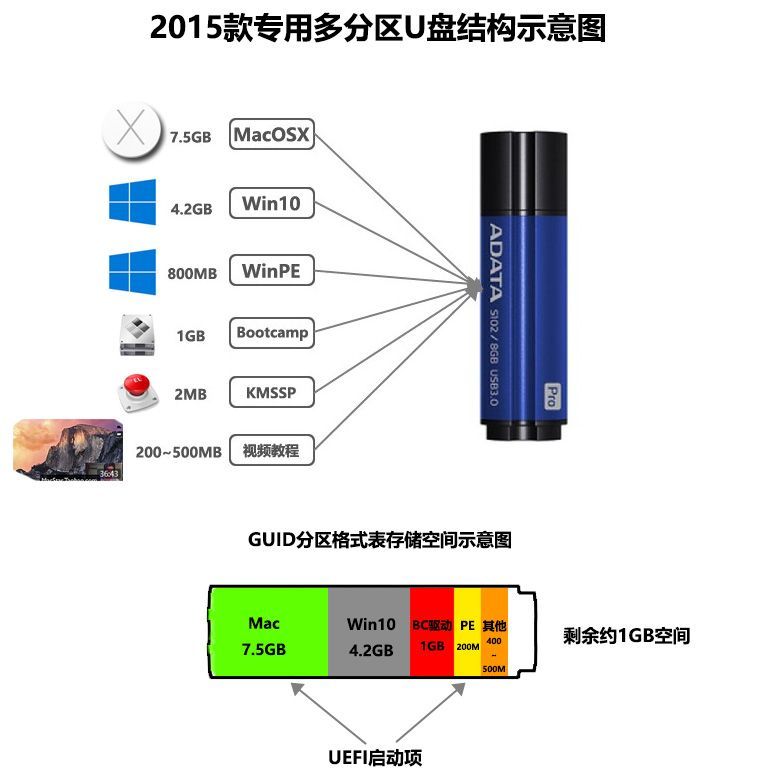
準備工具 U 盤(必備功能)

  • macOS 重裝/恢復功能。
  • DG 分區工具(手動導入 EFI 分區檔案)。
  • Windows 10 安裝檔(ISO 或解壓檔案)。
  • Boot Camp 驅動程式包。
  • Windows 10 授權/啟動工具。

流程較複雜,建議具備進階動手能力者嘗試,操作前請完整備份資料。文末附安裝影片連結。

Copyright © Windows教程網 All Rights Reserved