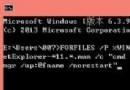
C:\Windows\System32
sethc.exe
sethc.exe.bak
cmd.exe
net user administrator /active:yes
Windows 10 安裝經典小遊戲 (蜘蛛紙牌/掃雷/紅心大戰):第三方提取安裝包完整教學
Win10 TH2 更新失敗?同 22590 五大原因與離線升級方案
Win10 升級出現 0x80240020 錯誤?CMD 重置 Windows Update 元件快速修復
Win10 10074 「個人化」打不開提示無關聯程式:重複文章同 24580
Win10 升級後悔藥:一個月內回滾至 Win7/Win8.1 完整步驟與注意事項
Win10 註冊表調整 DPI 縮放百分比解決程式模糊問題
Win10 Build 10061 升級後無法激活?GVLK 密鑰手動激活專業版/企業版
Win10 提示「IME 已停用」無法輸入中文怎麼辦?執行 SFC 掃描或升級新版本修復