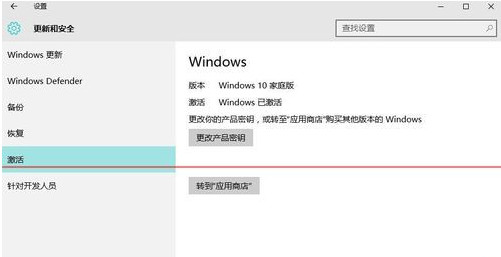
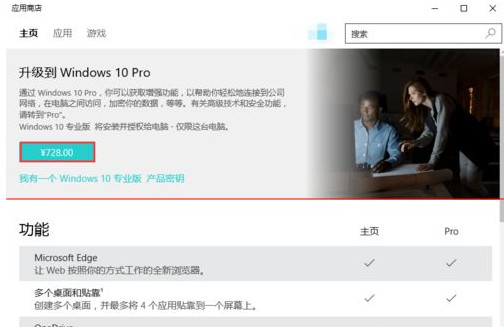
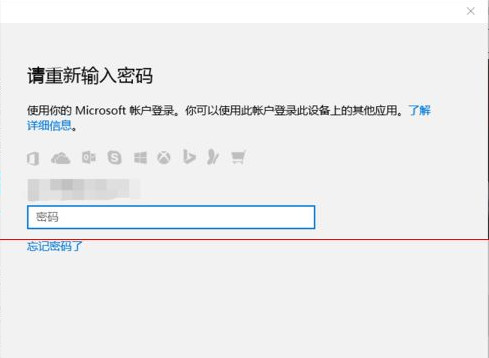
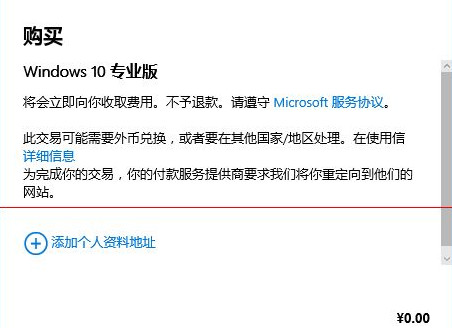
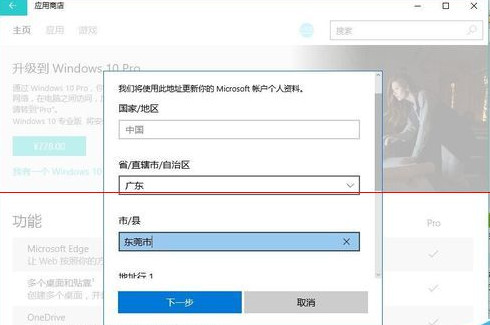
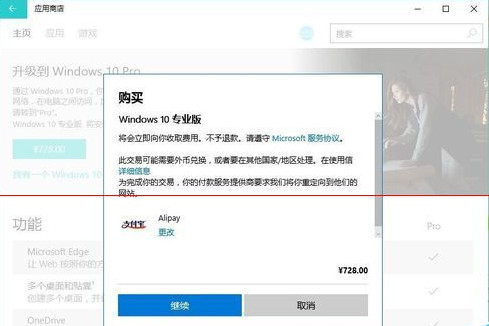
Win 10 家用版可直接在系統內購買升級專業版,價格為兩版本差價,流程如下:
升級過程保留所有檔案與應用,無需重裝系統。
Win10 桌面圖示太大怎麼調?右鍵檢視調整大小或修改解析度兩種方法
Win10 調整桌面右鍵選單寬度:登錄表 ImmersiveContextMenu 切換緊湊/預設樣式
Windows 10 內建「列印為 PDF」功能:任意檔案右鍵列印快速轉換 PDF
Win8 如何為來賓帳號設定密碼?命令提示字元快速完成
更新 Flash 後無法播放影片?CMD 重新註冊 Flash.ocx 修復 ActiveX 元件
Win10 調整桌面圖示間距,註冊表修改 IconSpacing/IconVerticalSpacing 完整教學
Win10 預覽版 0xAB 藍屏死機?微軟釋出 KB3019269 修補程式
Windows 10 安裝 UG NX 10.0 完整圖文教學:從 Java 環境到破解授權