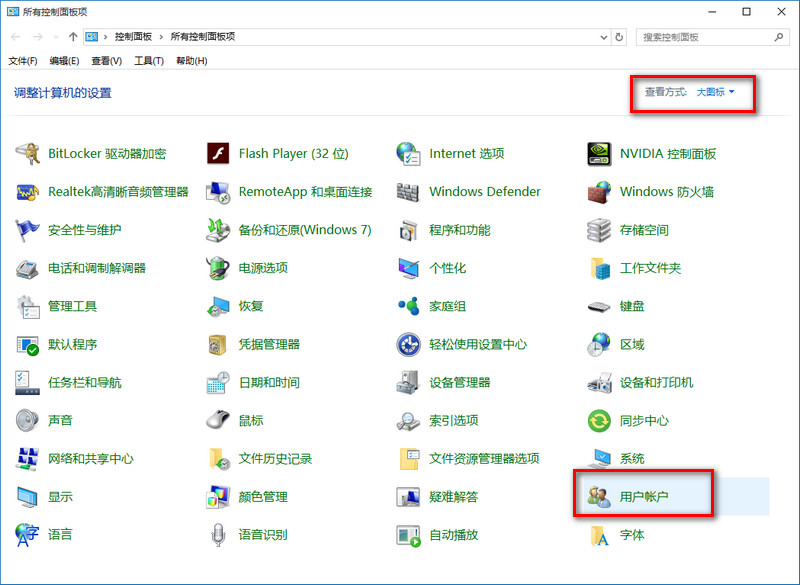
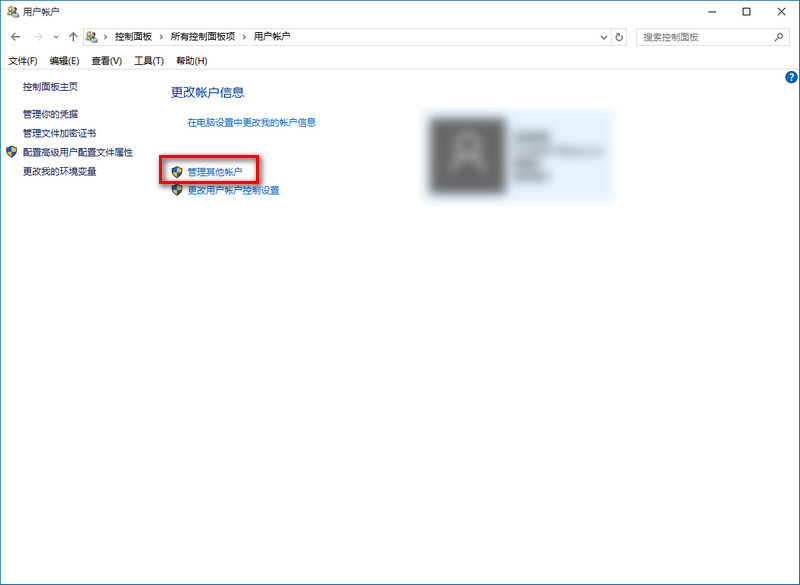
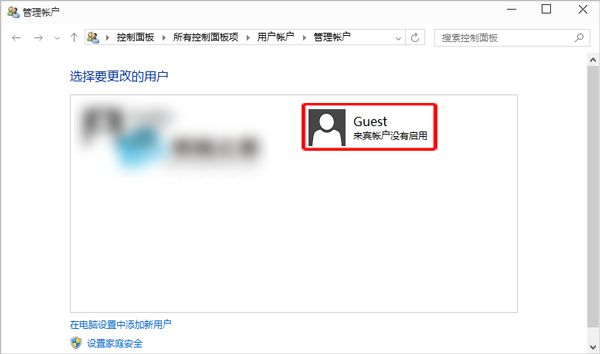
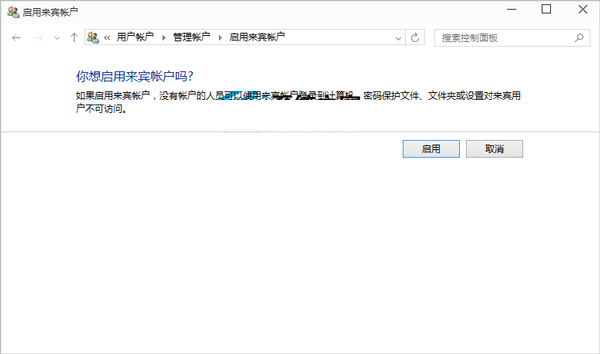
Windows 10 來賓帳戶預設停用,多使用者共用電腦時啟用可提供受限環境,保護主要帳戶隱私與設定。
同路徑進入 Guest 帳戶頁面,點選左側「關閉來賓帳戶」。
僅於臨時借用電腦時啟用,長期不使用建議關閉減少攻擊面。
Win10 任務檢視按鈕顯示/隱藏:任務列右鍵一鍵切換
Win10 升級後 SQL 軟體開機報錯?360 禁用啟動項秒解 (重複內容整合版)
Win10 玩遊戲誤按 Win 鍵跳出畫面?360 遊戲優化器一鍵屏蔽
Win10 硬碟使用率過高?四大優化方案降低磁碟負載
Win10 應用閃退?啟用 Windows License Manager Service 服務修復
Win10 如何調整工作列縮圖預覽視窗大小?登錄修改 MinThumbSizePx 數值自訂寬度
Windows 10 正式版離線地圖下載教學:出門免流量導航必備
Win10 Edge 瀏覽器看影片綠畫面?更新顯卡驅動或關閉 Flash 硬體加速