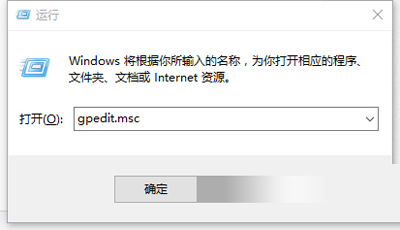
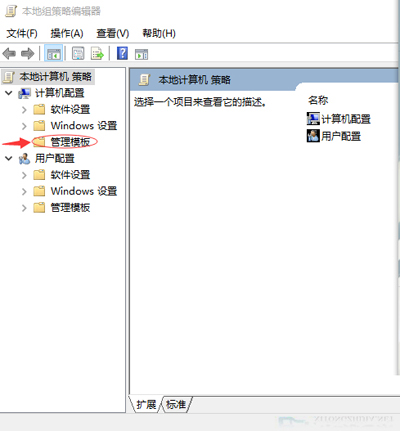
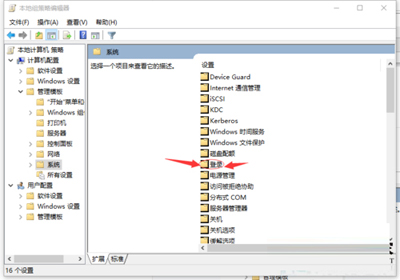
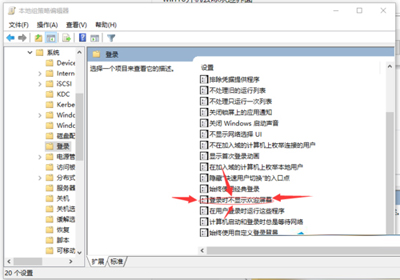
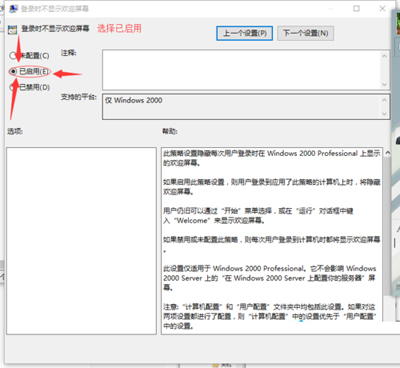
Win10 開機會顯示歡迎畫面 (時間、日期、背景圖片),略微延長進入桌面時間。專業版以上可用群組原則關閉:
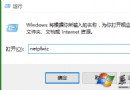
gpedit.msc
家庭版無 gpedit.msc,可嘗試登錄修改 HKEY_LOCAL_MACHINE\SOFTWARE\Microsoft\Windows\CurrentVersion\Policies\System 新建 DWORD DisableLogonBackgroundImage = 1 (效果可能有限)。
HKEY_LOCAL_MACHINE\SOFTWARE\Microsoft\Windows\CurrentVersion\Policies\System
DisableLogonBackgroundImage
Win10 筆記本拔掉電源螢幕變暗?電源計劃亮度設置一鍵解決
Win10 UWP 版微信測試版 v1.0.12 更新:批量傳檔、本地儲存、介面優化
Win10 Administrator 帳戶無法開啟 UWP 應用程式解決方案:登錄表 FilterAdministratorToken 修正
Win10 驅動程式下載安裝技巧:使用驅動人生一鍵更新
Windows 10 快速設定滑鼠指標大小與顏色:輕鬆存取功能完整指南
Windows 10 新增「Microsoft Wi-Fi」服務:付費熱點一鍵購買連線
筆電升級 Win10 後鍵盤失靈?關閉「快速啟動」即可修復
Win10 如何共享資料夾給區域網路其他電腦