OOBE 階段建立本機帳戶的隱藏入口
Win10 安裝/首次開機 (OOBE) 預設引導使用微軟帳戶 (MSA) 登入,本機帳戶選項被隱藏,兩種方式呼叫:
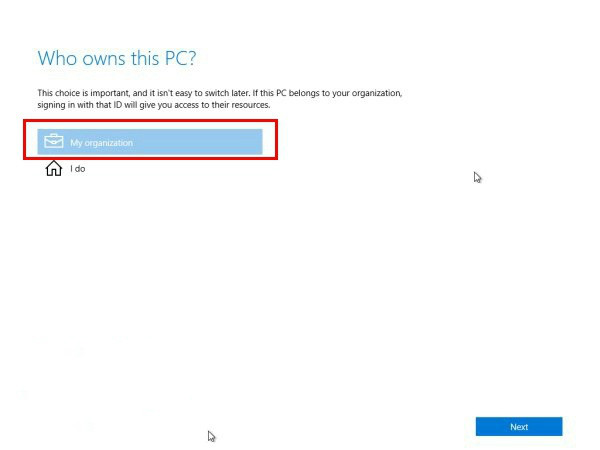
方法一:選擇「我的組織」
- 「這裡裝置屬於誰?」畫面選擇「**我的組織**」→ 「下一步」。
- 出現「加入網域」或「建立本機帳戶」連結,點選建立本機帳戶。
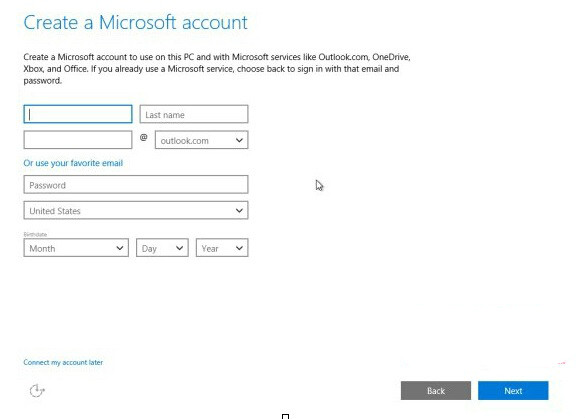
方法二:故意輸入錯誤微軟帳戶密碼
- 選擇「我擁有它」 (個人) → 下一步。
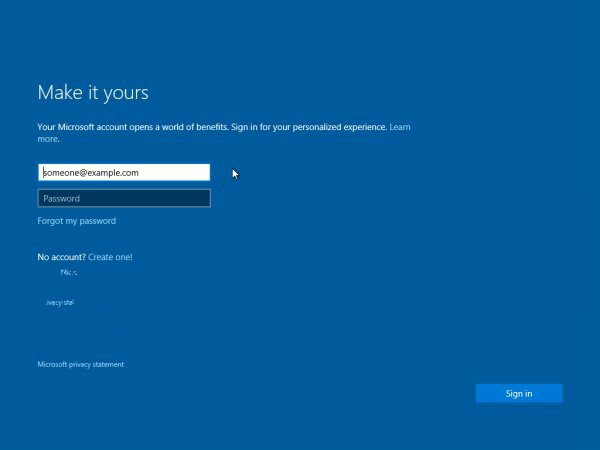
- 輸入任意微軟帳戶 (可不存在) → 故意輸入錯誤密碼。
- 驗證失敗後,畫面會出現「建立本機帳戶」連結,點選即可建立。
已進入系統後新增本機帳戶
「設定」→ 「帳戶」→ 「家庭與其他使用者」→ 「將其他人新增至這台電腦」→ 「我沒有這個人的登入資訊」→ 「新增沒有 Microsoft 帳戶的使用者」。