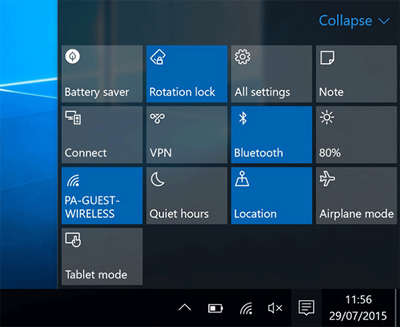
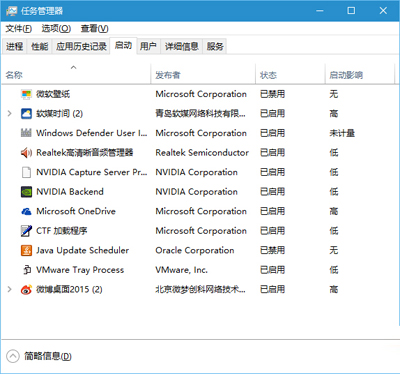
Win10 開機飛行模式鎖定無法關閉,導致無線網路/藍牙/行動網路全失效。根因為第三方服務/啟動項與 Windows 網路服務衝突。解決方法同 ID 22451:msconfig 乾淨啟動停用所有非 Microsoft 服務與啟動項,重開機驗證飛行模式解鎖,再逐項恢復鎖定衝突軟體。完整步驟、圖解、常見衝突類型、軟媒魔方替代工具請參考 ID 22451。
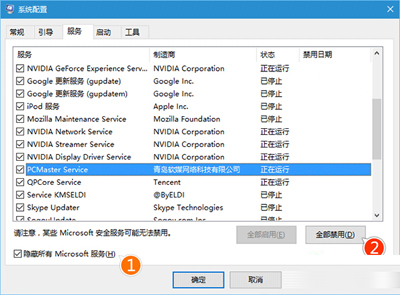
# 停用所有非 Microsoft 服務
Get-Service | Where-Object {$_.StartType -ne 'Disabled' -and $_.Name -notmatch '^(WinDefend|WSearch|wuauserv|...)$'} | Set-Service -StartupType Disabled
# 停用所有非 Microsoft 啟動項
Get-CimInstance Win32_StartupCommand | Where-Object {$_.Command -notmatch 'Microsoft'} | ForEach-Object { $_ | Disable-StartupItem }
註:實際生產建議使用 msconfig GUI 操作,PowerShell 指令需精確篩選 Microsoft 服務清單。