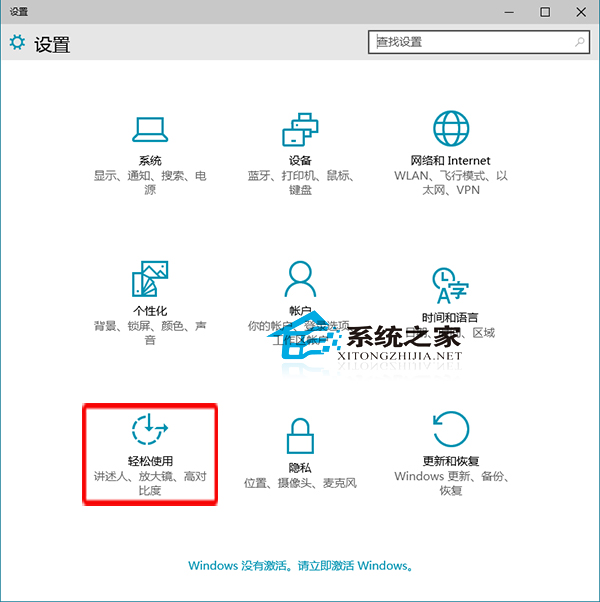
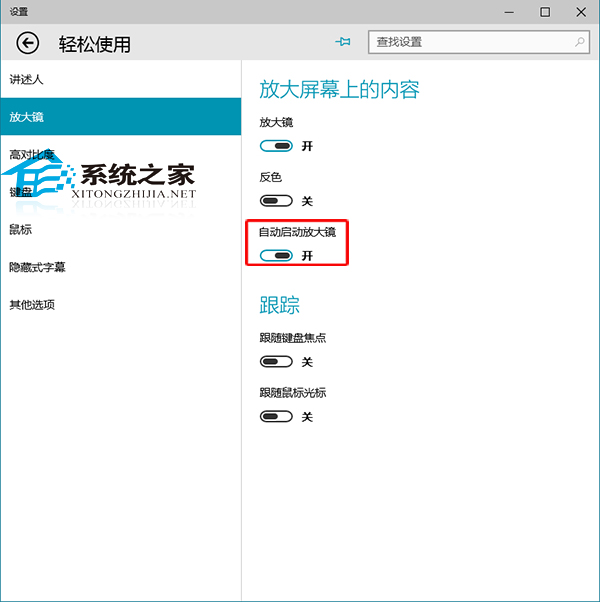
頻繁使用「放大鏡」輔助閱讀?設定開機自動啟動省去手動開啟步驟:
延伸閱讀: 「放大鏡」支援全螢幕、鏡頭、固定三種模式,並可調整縮放級別、色彩反轉、追蹤滑鼠/鍵盤焦點等,建議閱讀「Win10 如何使用內建放大鏡」掌握完整功能。
Win10 安裝過程跳過 Microsoft 賬戶創建本地賬戶:三步繞過聯網強制登錄
Win10 Build 9926 新介面搶先看:Cortana 整合、操作中心升級、設定應用重構、開始選單微調
Win10 藍牙在哪裡?開啟、關閉、確認硬體支援完整指南
Windows 10 如何將傳統「Windows 相片檢視器」設為預設開啟方式?註冊表修復檔案關聯法
Win10 提示記憶體不足?獨顯建議換卡,集顯可進 BIOS 擴大顯存
Windows 10 開啟遠端桌面連線教學 (多種方法)
Win10 預覽版啟用開始選單「跳躍清單」:登錄新增 EnableXamlJumpView=1 讓右鍵顯示最近檔案
Windows 10 設定寬帶撥號開機自動連線教學