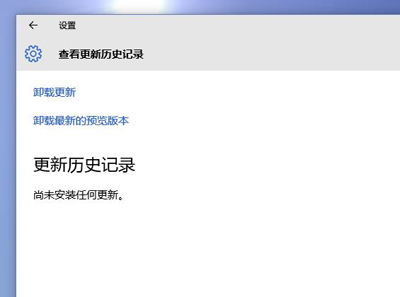
安裝更新後,「設定」→「更新與安全性」→「Windows Update」→「檢視更新歷程記錄」為空白,無法移除有問題的更新。
services.msc,確認以下服務為「手動」或「自動」且正在執行:
第三方優化軟體常將「更新歷程記錄」相關服務停用以「加速系統」,導致記錄不再寫入。重新啟用服務即可恢復記錄功能。
Windows 10 Build 10120 更新內容詳解:新版音樂/影片 App、Edge 歷史記錄/開發者選單、移除閱讀清單、棄用媒體串流 API
Windows 10 變更預設應用程式完整教學:新版設定介面操作指南
Win10 提示「Windows 內部版本授權即將過期」?KMS 激活到期、OEM 授權遺失、正版授權補齊完整解決方案
Win10 如何建立訪客帳號?新增「其他使用者」作為來賓帳號
Win10插入耳機無彈出提示?Realtek音頻管理器一鍵恢復自動彈窗
Win 10 磁碟 100% 佔用導致卡頓?十大優化方案:關閉家庭群組、碎片整理、Defender、Search、Superfetch、Windows.old、自動登入、IPv6、視覺效果、虛擬記憶體