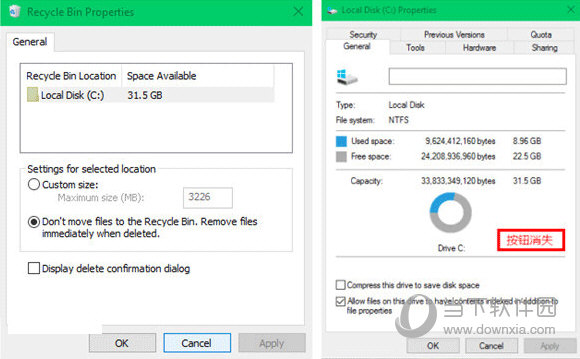
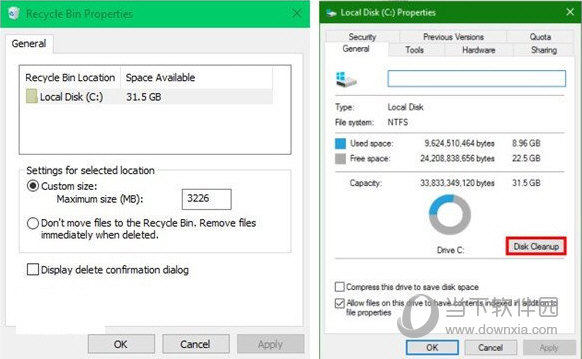
若在磁碟屬性找不到「磁碟清理」,檢查回收站是否被停用——停用回收站會連帶隱藏磁碟清理按鈕。
原因:微軟將「回收站」與「磁碟清理」綁定,停用前者自動隱藏後者;建議改為在磁碟清理介面灰化回收站項目而非整體隱藏。
Win10 滑鼠無法叫出右側邊欄?用 Win+C 快速鍵開啟
Windows 10 睡眠喚醒免密碼設定:電源選項關閉密碼保護完整步驟
Win10 原版系統安裝完整圖文教程
華碩筆電升級 Win10 後藍屏?官方建議:從官網更新所有驅動程式
Win10 取得完美管理員權限:右鍵選單加入「取得管理員權限」註冊表腳本
Windows 10 找回輸入法圖示與語言列的兩種方法
Win10 新版本預設移除 Insider Hub?手動新增功能找回會員應用
Windows 10 更新失敗錯誤 0x80246017 解決方案:修改登錄檔恢復更新通道