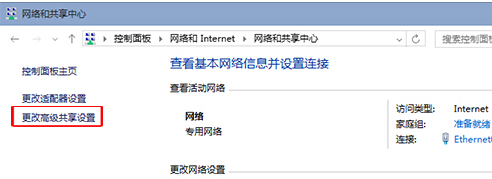
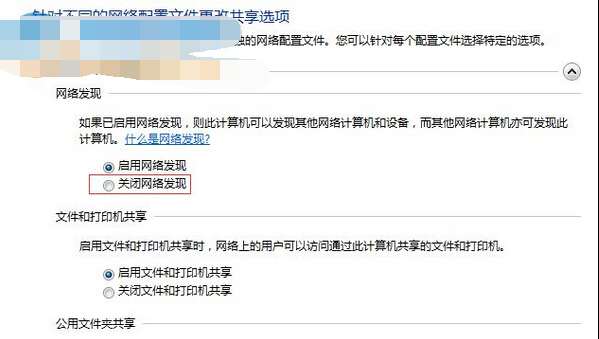
公共網路 (咖啡廳、機場) 下開啟「網路探索」會讓電腦被他人看見,有安全疑慮。關閉步驟:
建議:私人/公司網路啟用探索以利共享,公用網路務必關閉。
Win 10 Windows Media Player 無法載入字幕?安裝解碼器並刪除三個系統檔案修復
Win10 開機提示「找不到元素」怎麼辦?取消使用開始畫面模式即可解決
Win 10 磁碟 100% 佔用導致卡頓?十大優化方案:關閉家庭群組、碎片整理、Defender、Search、Superfetch、Windows.old、自動登入、IPv6、視覺效果、虛擬記憶體
Win10 14333 如何關閉驅動程式自動更新與調整語言列位置?雙功能完整教學
Windows 10 登入 Microsoft 帳號錯誤 0xd00000bb 解決方案
Win10 不相容第三方輸入法?暫時改用內建輸入法過渡
Win10 工作檢視與虛擬桌面快速鍵總表
Win10 如何對應網路磁碟機?CMD 開啟共享 → 右鍵「對應網路磁碟機」分配磁碟代號