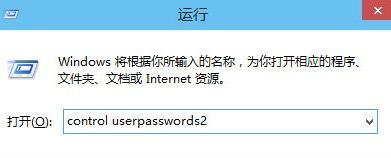
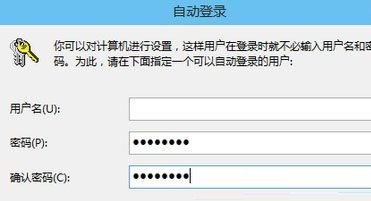
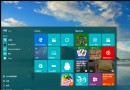
若覺得開機輸入密碼麻煩,可設定自動登入 (仍保留帳戶密碼保護網路安全)。
control userpasswords2
注意:自動登入僅跳過本機開機驗證,遠端桌面、網路共享、UAC 提權仍需密碼。若電腦常在公共場合使用,建議保留密碼保護。
Win 10 如何查看開始選單捷徑總數與明細?PowerShell Get-StartApps 指令一鍵搞定
Windows 10 正式版前 9 大痛點問題完整盤點 (Trusted Reviews)
Win10 無法開啟 UEFI 引導選項?關閉 BIOS Secure Boot 即可解鎖
Win10 系統下 RTL8192DE 無線網卡無法使用的解決方案
Win10 雙擊無法開啟 .exe 執行檔?一行指令修復檔案關聯
Windows 10 通知區域找不到音量圖示?啟用系統圖示找回喇叭
Win7 升級 Win10 三大路徑完整解析:正版激活、Insider 通道、預約推送
Win10 開機密碼忘記?PE 系統清除密碼完整圖文教學