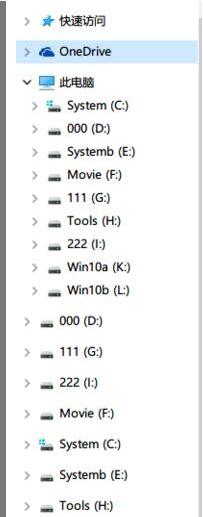
Build 14295 檔案總管「此電腦」中出現重複磁碟機代號 (如兩個 C:、兩個 D:),實際僅有一個分割區。
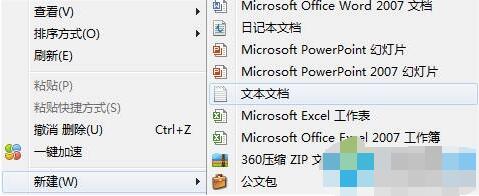
Windows Registry Editor Version 5.00

[HKEY_LOCAL_MACHINE\SYSTEM\CurrentControlSet\Services\storahci\Parameters\Device]
"TreatAsInternalPort"=hex(7):30,00,00,00,31,00,00,00,32,00,00,00,33,00,00,00,34,00,00,00,35,00,00,00,00,00

[-HKEY_LOCAL_MACHINE\SOFTWARE\Microsoft\Windows\CurrentVersion\Explorer\Desktop\NameSpace\DelegateFolders\{F5FB2C77-0E2F-4A16-A381-3E560C68BC83}]

[HKEY_LOCAL_MACHINE\SOFTWARE\Microsoft\Windows\CurrentVersion\Explorer\Desktop\NameSpace\DelegateFolders\{F5FB2C77-0E2F-4A16-A381-3E560C68BC83}]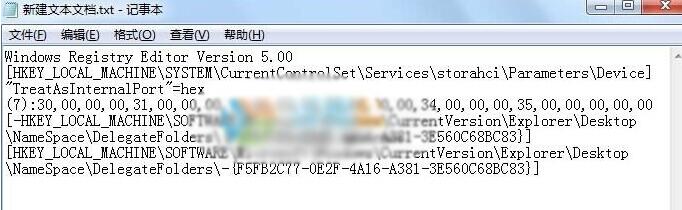
修復14295磁碟重複.reg → 「儲存」。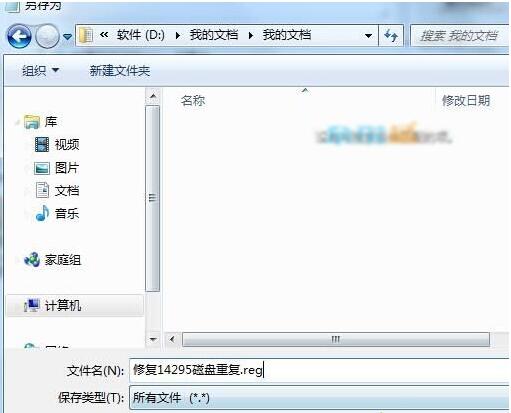
此修復專為 Build 14295 設計,其他版本出現類似問題請勿直接套用,需確認對應註冊表路徑與 GUID。
Win10 經常掉網?關閉網卡「允許電腦關閉此裝置以節省電源」解決
Win10 如何關閉/隱藏快速存取 (Quick Access)?登錄修改 Attributes 值圖文教學、可還原
Win10 內置 Windows Defender 啟用與快速掃描教程:無需第三方殺毒軟件
Windows 10 分割螢幕 (Snap Assist) 四等分畫面操作教學
Win10 輸入法想變回 Win7 風格 (美式鍵盤預設 + Ctrl+Shift 切換)?完整登錄大法
DISM 命令修復 Win10 系統檔案完整教學:掃描、還原與離線修復