Windows 10 下清理獵豹瀏覽器快取提供兩種方法:第三方清理工具或瀏覽器內建功能。
方法一:360 安全衛士 (適合批量清理多瀏覽器)
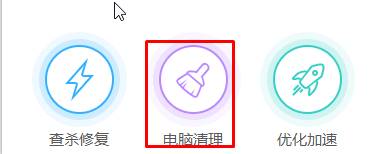
- 開啟 360 安全衛士 → 「電腦清理」。
- 點擊「一鍵掃描」。
- 掃描完成 → 勾選「常用軟體垃圾」下的「獵豹瀏覽器」 → 「一鍵清理」。
方法二:獵豹瀏覽器內建功能 (精準控制)
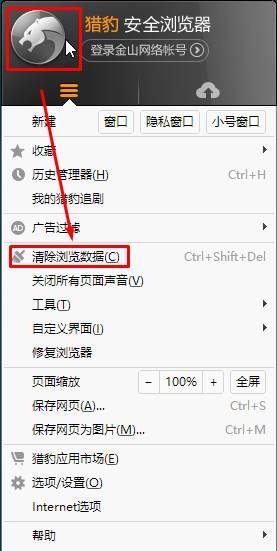
- 開啟獵豹瀏覽器 → 左上角「獵豹」圖示 → 「清除瀏覽器資料」。
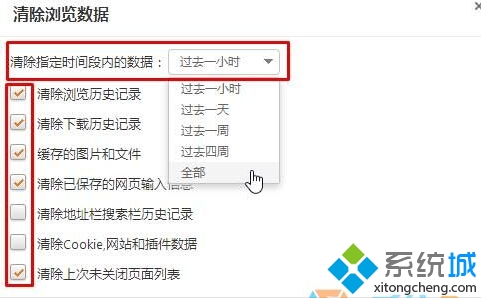
- 「清除時間範圍」選擇 (過去一小時/一天/一週/四週/所有時間)。
- 勾選需清理項目 (瀏覽紀錄、下載紀錄、Cookie、快取圖片/檔案等) → 「立即清理」。
方法二可精確控制清理範圍與時間,建議定期執行。